Programming Languages & IDEs
Integrated Development Environments
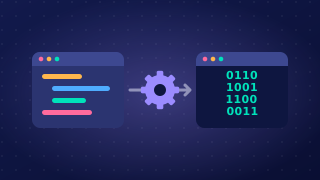
An integrated development environment (IDE) is one piece of software that brings together all the tools a programmer uses to develop a program. Instead of writing code in one program, translating it in a second and running it in a third, you get everything in one window. Keeping the tools together saves the programmer from switching between separate programs, so development is quicker and less fiddly.
An IDE is not a programming language and it is not a translator. A language such as Python is what you write in; the IDE is where you write it, and the translator sits inside it as one of its tools.
The four tools in an IDE
An IDE combines four tools, and each one helps with a different stage of building a program.
| Tool | Stage of development it helps with |
|---|---|
| Editor | Writing and editing the code |
| Error diagnostics | Finding and fixing errors |
| Run-time environment | Running and testing the program |
| Translator | Translating the code |
How they work together
You type and save your code in the editor, the translator converts it into machine code, the run-time environment runs it, and any error the translator finds is reported by the error diagnostics. Because all four sit in one window, a change can be tried out the moment it is made, and an error can be spotted and put right straight away. That is the main reason an IDE can speed up development.
Make sure you get practical experience of using each of these tools in at least one IDE: entering and saving code, reading the messages diagnostics give you, running a program with your own inputs, and translating it so it can execute.
The editor is the tool inside an IDE where a programmer types, changes and saves the source code. You spend most of your time here: you write the program, go back to fix or improve it, and save it to a file so your work is still there next time.
Source code is the program exactly as the programmer wrote it, in a language such as Python. It is written for people to read and understand, not for the processor to run directly, so it has to be translated before the computer can execute it.
Why an IDE editor is more than a place to type
An IDE editor is built for writing code, and that changes three things:
- Speed – it is designed around code, so it can react to what you type and save you repeating work.
- Fewer mistakes – it can point out an obvious slip while you type, so you put it right before the program is translated or run.
- Readability – it can keep code laid out tidily, so the structure of a long program is easier for you and other programmers to follow.
For example, imagine you write a program that works out the cost of a school trip and save it as trip_cost.py. The editor keeps that file for you. A week later you reopen it in the editor, change the price per pupil, save it again and run it. The typing, the changing and the saving all happen in the same tool.
The extras vary, the job does not
Editors offer different extras: one might help you lay code out neatly, another might warn you about a slip while you type. These extras vary between IDEs, and none of them is the point. Whatever else an editor offers, it is the place where source code is entered, changed and saved.
Error diagnostics are a tool in an IDE that helps you find and fix mistakes in your code. They point you to the problem instead of leaving you to search through the whole program.
What they report
If your code breaks one of the language's rules, a message appears describing the problem and giving the line number where it was found. For example, if you mistype while as whille, Python cannot treat that spelling as a keyword, so a syntax error is reported on that line and you can go straight to it. The message helps you correct the cause, not just the symptom.
Help while you type
Many IDEs check the code continuously rather than waiting for you to press Run. A mistake is signalled while your cursor is still on that line, so you can deal with it before the program is tested, and a short hint beside the code may name the correction for you. This makes fixing quicker because the problem surfaces while the reason for it is still fresh in your mind.
What they do not catch
Error diagnostics mainly report errors that break the language's rules, such as a keyword spelled wrongly or a piece of punctuation left out. A program that runs but gives the wrong answer is a different matter: if your code adds where it should subtract, every rule has been obeyed, so the diagnostics have nothing to say and you have to test the program yourself to spot the fault. The translator is the tool that turns your source code into something the computer can run; when a broken rule stops it doing that, the IDE's diagnostics are what put the problem in front of you.
The run-time environment is the part of an IDE that runs a program so the programmer can test it. You press the run button and the program starts inside the IDE, without being copied to another computer first.
While it runs, the IDE usually opens a window for the program's inputs and outputs. If the program asks for a player's name, you type it there; when the program prints a message, it appears in the same window. This means you can try the program out straight away, change the code and run it again without leaving the IDE. For example, a program that works out how many seats are still free in a cinema screen might ask for the number of seats in the screen and the number of tickets sold. You can enter 180 and 147, see the answer of 33 at once, then adjust the code if the answer is wrong.
Some errors only appear while the program runs. When that happens, the run-time environment stops the program and shows an error message describing the fault, often naming the line of code where it happened. For instance, if a program asks for a whole number and the user types letters, the message will point to the line that tried to treat that input as a number. Being told where to look helps you track down the cause quickly, rather than the program simply stopping with no information at all.
The run-time environment is not the translator. The translator converts the source code into machine code; the run-time environment runs the program and lets you interact with it.