Integrated Development Environments
Error diagnostics
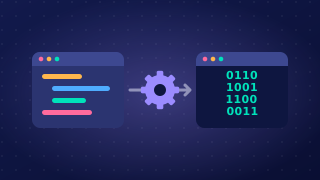
Error diagnostics are a tool in an IDE that helps you find and fix mistakes in your code. They point you to the problem instead of leaving you to search through the whole program.
What they report
If your code breaks one of the language's rules, a message appears describing the problem and giving the line number where it was found. For example, if you mistype while as whille, Python cannot treat that spelling as a keyword, so a syntax error is reported on that line and you can go straight to it. The message helps you correct the cause, not just the symptom.
Help while you type
Many IDEs check the code continuously rather than waiting for you to press Run. A mistake is signalled while your cursor is still on that line, so you can deal with it before the program is tested, and a short hint beside the code may name the correction for you. This makes fixing quicker because the problem surfaces while the reason for it is still fresh in your mind.
What they do not catch
Error diagnostics mainly report errors that break the language's rules, such as a keyword spelled wrongly or a piece of punctuation left out. A program that runs but gives the wrong answer is a different matter: if your code adds where it should subtract, every rule has been obeyed, so the diagnostics have nothing to say and you have to test the program yourself to spot the fault. The translator is the tool that turns your source code into something the computer can run; when a broken rule stops it doing that, the IDE's diagnostics are what put the problem in front of you.
Practise this
OCR GCSE Computer Science · Integrated Development Environments