Integrated Development Environments
IDE editor
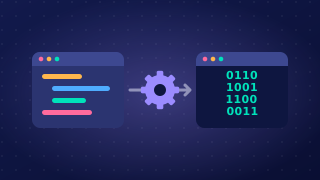
The editor is the tool inside an IDE where a programmer types, changes and saves the source code. You spend most of your time here: you write the program, go back to fix or improve it, and save it to a file so your work is still there next time.
Source code is the program exactly as the programmer wrote it, in a language such as Python. It is written for people to read and understand, not for the processor to run directly, so it has to be translated before the computer can execute it.
Why an IDE editor is more than a place to type
An IDE editor is built for writing code, and that changes three things:
- Speed – it is designed around code, so it can react to what you type and save you repeating work.
- Fewer mistakes – it can point out an obvious slip while you type, so you put it right before the program is translated or run.
- Readability – it can keep code laid out tidily, so the structure of a long program is easier for you and other programmers to follow.
For example, imagine you write a program that works out the cost of a school trip and save it as trip_cost.py. The editor keeps that file for you. A week later you reopen it in the editor, change the price per pupil, save it again and run it. The typing, the changing and the saving all happen in the same tool.
The extras vary, the job does not
Editors offer different extras: one might help you lay code out neatly, another might warn you about a slip while you type. These extras vary between IDEs, and none of them is the point. Whatever else an editor offers, it is the place where source code is entered, changed and saved.
Practise this
OCR GCSE Computer Science · Integrated Development Environments