Selecting Cloud Platforms and Services
Device resources and network limits
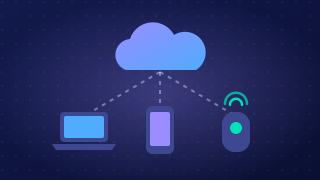
A cloud service runs through an app or web browser on a device and sends data over a network, so the device's own resources and the connection both limit how well it works. A service can be available yet still be impractical to use.
Processing power, memory and battery
Feature-rich cloud services often need plenty of RAM and processing power on the device itself. RAM is the memory the device uses to hold whatever it is working on. With a cloud 3D garden design tool, the project is stored online, but the device must still draw and rotate the garden on screen. On an older laptop with little RAM, rotating a detailed plan turns jerky or the tab freezes. Even when the heavy work happens in the cloud, the app still processes something, so less powerful devices may struggle. Heavy processing also drains the battery, so a tablet may need charging after a short session.
Storage and screen size
A device's local storage holds the app and any project files kept for offline working, and it also buffers data, storing it temporarily while it arrives. A phone with little free space may keep only a few garden designs offline, so the rest need a connection every time. A screen can also be too small for a service to be practical: placing and resizing plants on a phone is fiddly and slow.
Network speed and type
The speed and type of connection affect how well the service works. A slow or weak connection makes a design slow to open, and a dropped mobile signal can interrupt saving. The type matters too: fibre broadband is usually faster and steadier than mobile data, which may come with a limited data allowance. Some services limit data transfer, or hold back a full sync until a better connection is available, so changes take longer to reach other users.
When an organisation selects a cloud service, it should check that users' devices and connections can cope; otherwise time is wasted and the service is not practical.
Practise this
Pearson BTEC Digital Information Technology · Selecting cloud platforms and services