Selecting Cloud Platforms and Services
Cloud platforms and devices
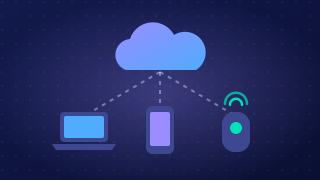
Cloud platforms and services are never used in thin air. You use them through a device such as a laptop, phone, tablet or desktop computer. Devices differ in their hardware and in the software they run, so the same cloud service can behave very differently from one device to another.
The main platform differences are:
- Screen size — how much can be shown at once.
- Portability — whether the device can be carried and used anywhere.
- Processing power and RAM — how quickly data can be handled.
- Storage capacity — how much can be held locally.
- Input methods — keyboard, mouse, touch screen, stylus or voice.
- Network connectivity and speed — Wi-Fi, mobile data, or no connection at all.
- Operating system — the software that runs the device.
These differences decide which cloud services you can use and how well they work. A school art department might share sketchbook photos in a cloud gallery: from a tablet with a camera this takes seconds, but on an old desktop with no camera pupils must scan pages in or cannot take part at all. The service is fine — the platform is the problem.
Operating systems and file types
Some cloud services are built for one operating system only, so they will not install on a device running something else. Web-based services are more likely to work across different operating systems because the browser does the work, though they still need a modern browser.
A service may also rely on hardware features that not every device has, such as a camera, microphone or GPS. Files matter too: work saved in a file type that another device cannot open stays stuck on the device that made it.
Checking compatibility
An organisation must check the service works across the whole mix of devices its users have — office desktops, tablets used off-site, phones in pockets. Does it run on every operating system in use, does each device have the hardware it needs, and can each device open the files it produces? Testing on one laptop in the IT office proves little: only when every answer is yes can everyone use it.
Practise this
Pearson BTEC Digital Information Technology · Selecting cloud platforms and services
Pearson BTEC Digital Information Technology · Implications of choosing cloud technologies