Selecting Cloud Platforms and Services
Interface design for different devices
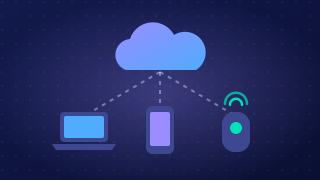
Interface design is how the controls, text and other objects are arranged on screen, and how you use them. A cloud service must work on devices with different screen sizes and input methods, including mouse, keyboard, touch and voice.
Fitting the screen
The layout and features can change with the device, screen size or connection. A cloud-based football fixtures page could show six pitches side by side on a laptop, but on a phone show one pitch at a time with a selector to switch. A cloud-based recipe box for a cookery club could show a side menu, large photos and a shopping-list button on a desktop, but on a phone hide the photos and put the shopping list at the bottom. Controls can be resized or moved, and less important items hidden, so useful ones stay easy to reach. A weak connection could load only text, so the service stays usable.
Input methods and accessibility
The input method determines which controls make sense. A keyboard needs clearly labelled fields and a sensible tab order; a mouse can select a precise point on a diagram or hover over a label for more detail. A touch screen works better with finger-sized controls and direct dragging, such as sliding a temperature slider; tapping a text box can open an on-screen keyboard, and swiping can move through pages instead of a mouse. Voice input needs spoken commands, so buttons and menus must work with speech as well as touch or a mouse. Accessibility means the interface must be usable by everyone. A tiny screen or keypad can create barriers, especially for users with mobility difficulties, so designs may offer voice control, larger buttons or a simpler layout.
Mobile and desktop versions
A cloud service may have a mobile version and a desktop version with different layouts and features. For example, a cloud-based school trip planner might show a full calendar and drag-and-drop editing on a desktop, while the mobile version shows one day at a time and a quick 'mark as done' tick. Both versions should still be suitable for their users, so the mobile version must not hide something essential or become unusable.
Practise this
Pearson BTEC Digital Information Technology · Selecting cloud platforms and services