User and File Management
Access Rights and User Types

Access rights are the permissions the operating system gives to a user account. They decide what that user can and cannot do on the system, so not everyone who logs on has the same level of control.
Standard users
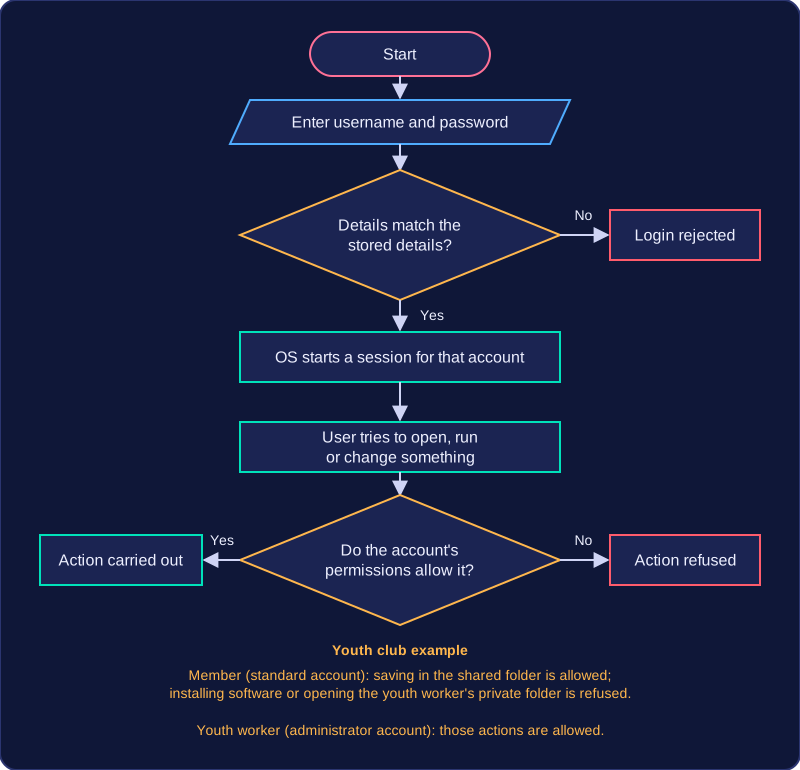
A standard user can run programs and work with their own files. They cannot install new software, change settings that affect the whole system, or set up and control other people's accounts. The operating system checks the account's rights before carrying out a request and refuses anything that is not allowed. This protects the computer: an ordinary user cannot damage shared settings by accident, and a deliberate attempt is blocked in the same way.
For example, at a youth club music room, a member's standard account can open the recording program and save a track into their own folder. When the same member tries to add a video editing package, the request is refused, because installing software is beyond what that account is allowed to do. Without that limit, one careless click could change settings that everybody who uses the machine relies on.
Administrators
An administrator has more rights: they can install new software, change system-wide settings and set up or control other people's accounts. That makes the account powerful, so it should only be given to people who genuinely need it. At the youth club, the technician who keeps the machines running holds the only administrator account and uses it to install updates for everyone. Fewer administrator accounts means fewer chances for the system to be changed in a way that causes problems for the rest of the users.
Access rights belong to user management, not to file management, because they are about what a person is allowed to do on the system rather than about how files are stored. They matter most on a shared computer or network, where several people use the same equipment but should not all have the same level of control.
Practise this
OCR GCSE Computer Science · User and File Management