User and File Management
User Accounts and Logging In

On a computer or network used by more than one person, each person needs their own user account so their work and settings stay separate. The operating system manages accounts as part of user management.
Allocating accounts
An administrator allocates accounts: they create an account when someone new needs to use the system, change its details when something needs updating, and delete it when it is no longer needed. For example, a youth theatre group runs lighting and sound from one laptop kept in the wings. The volunteer who looks after the laptop is the administrator. Each crew member has a separate account, so their cue lists and screen layout are just as they left them. When a new crew member joins for the summer show, the administrator creates an account; when a surname has been typed wrongly, she corrects the details; when the crew member leaves after the show, she deletes the account.
Each account has its own username, files and settings. When a crew member logs in, the operating system loads that person's desktop, folders and preferences, not a shared set. The operating system uses the account to keep that person's files private from other users.
Checking identity at log-in
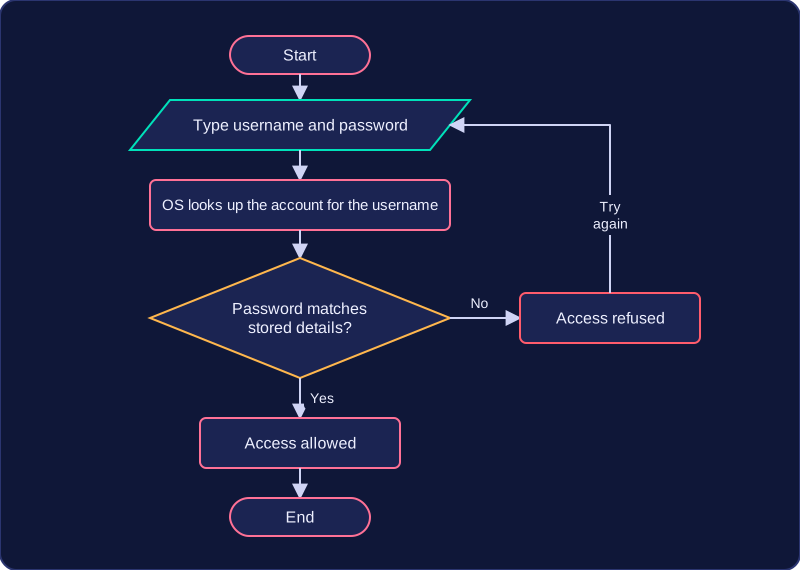
When you log in, the operating system checks your identity, usually by comparing the details you enter with those stored for the account. If they match, it loads your account; if they do not, access is refused. This check happens before your files and settings are available, which helps stop one person using another person's account.
Recording log-ins
The operating system can record who logged in and when. A record might show that account tolu.lx was used at 19:42 on Friday. This helps security: if something goes wrong, the administrator can see which account was in use and at what time.
A user account is more than a name: it is the identity the operating system uses to load the right files and settings.
Practise this
OCR GCSE Computer Science · User and File Management