Operators
Relational Operators
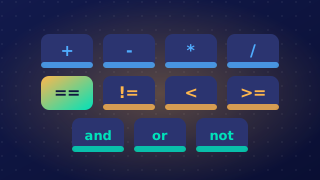
A relational operator compares two values and returns a Boolean result: either True or False. Python 3 has six of them, and the symbol you choose decides exactly when the answer is True.
What each operator returns
| Operator | Returns True when | Returns False when |
|---|---|---|
== | the two values are the same | the values differ |
!= | the two values are different | the values are the same |
> | the left value is strictly greater | it is smaller or equal |
< | the left value is strictly less | it is greater or equal |
>= | the left value is greater or equal | it is strictly smaller |
<= | the left value is less or equal | it is strictly greater |
The two strict operators, > and <, return False for two equal values, because neither value is strictly bigger or strictly smaller than the other. The two-character versions >= and <= add equality in, so they return True at the boundary. If a cinema ticket costs 12 and your limit is 12, then price > limit gives False but price >= limit gives True.
Write each operator as one unit with no space inside it: >= is correct, while > = is not. Use == for testing equality, since a single = assigns a value instead of comparing.
What the operands can be
The values either side of the operator are its operands. They can be variables, literals written straight into the line, such as a number or a string, or whole expressions. Python works out the value of each side at the moment the line runs, then compares those two values.
lives == 3compares a variable with a number literal.2 + 6 > 9compares an expression with a literal, so 8 > 9 givesFalse.score != bestcompares two variables.
Evaluating a comparison on its own
A relational expression does not need an if around it. You can store its result in a variable or print it directly, and the output is the Boolean value True or False — never a number, and never a word like yes.
distance = 250
limit = 250

in_range = distance <= limit
print(in_range)
print(distance < limit)
print(distance != limit)
Output:
True
False
False
The variable enough holds a Boolean, so it can be tested later or displayed to check your logic while building a program.
In Python, text values (strings) can be compared with relational operators. The operators == and != check whether two strings are exactly the same or different. The operators >, <, >= and <= decide which string comes first by comparing them character by character.
Ordering strings
For ordering, Python compares the first character of each string. If their character codes are different, the string with the lower code is smaller. If those characters match, it moves on to the next pair, and so on. For example, moth < mountain is True: the first two letters match, then t has a lower code than u. A shorter string that is the start of a longer one is smaller, so pea < pear is True. Uppercase letters have lower codes than lowercase letters, so Zig < ant is True because Z (code 90) is lower than a (code 97).
| Text A | Text B | Operator | Result | Reason |
|---|---|---|---|---|
| finch | finch | == | True | same characters in the same order |
| finch | Finch | == | False | f and F are different characters |
| finch | Finch | != | True | the strings are different |
| nest | next | < | True | s has a lower code than x |
Case matters
Case matters in string comparisons. Blue and blue are not equal because B and b are different characters with different codes. Comparing Blue with blue using == gives False, and using != gives True. If you need to ignore case, change the strings so their cases match first, for example by converting both to lowercase; then the comparison can give True.
first_word = input("Enter first word: ")
second_word = input("Enter second word: ")

if first_word != second_word:
    if first_word < second_word:
        print(first_word + " comes before " + second_word)
    else:
        print(first_word + " comes after " + second_word)
else:
    print("The words are identical")
Output when the user types Lemon, lemon:
Enter first word: Lemon
Enter second word: lemon
Lemon comes before lemonSome decisions depend on whether a value sits inside a range, between a lowest and a highest allowed value. A range has two boundaries, but a single relational comparison can only test one of them. To check that a value is inside the range you need two comparisons joined with the logical operator AND, one for the lower limit and one for the upper limit.
Testing both limits
A swimming pool runs a junior session for anyone aged 11 to 15, and both of those ages are allowed. Two tests must pass before a swimmer can join: the swimmer must be at least 11 AND at most 15. In symbols that is age >= 11 AND age <= 15. Testing only age >= 11 would let in a 50-year-old, and testing only age <= 15 would let in a toddler, because each comparison on its own ignores the other end of the range.
| Age entered | age >= 11 | age <= 15 | In range? |
|---|---|---|---|
| 9 | False | True | False |
| 11 | True | True | True |
| 14 | True | True | True |
| 15 | True | True | True |
| 17 | True | False | False |
AND gives True only when both sides are True, so a value counts as inside the range only when it passes both comparisons. The ages 11 and 15 pass because >= and <= include the number they compare against. Swap them for > and < and those two swimmers are turned away, even though 11 and 15 are meant to be allowed.
Point the comparisons inwards
The lower limit is compared with >= and the upper limit with <=, so the two comparisons point inwards at the value being tested. Writing age <= 11 AND age >= 15 asks for an age that is no more than 11 and also no less than 15 at the same moment, and no number can do that. The condition is valid code but always evaluates to False, so nobody ever gets in.
The finished condition is a single expression that evaluates to True or False each time it runs, so you can drop it straight into an if statement to choose what the program does next.
A faulty comparison is one that tests the wrong thing, usually because the wrong relational operator has been used or because the two values are compared the wrong way round. When you correct it, write out the entire corrected line of the program, not just the operator symbol on its own.
Why the symbol alone is not enough
A comparison puts a value on each side of an operator, and a program may contain several comparisons. Writing only >= or only != leaves the reader unable to tell which line is being changed, what is being compared, or which direction the test now runs in. Spelling out the whole line shows all of this at once, and it shows whether the fix was a change of operator or a swap of the two sides, so the reader can check the new test rather than guess at it.
A worked example
A theme park ride is open to anyone whose height is at least 140 cm. A condition such as height > 140 turns away a visitor who is exactly 140 cm tall, because > excludes the boundary value. Changing the operator to >= includes that visitor, and the whole corrected line shows where the operator sits and which two values it now compares.
height = int(input("Enter your height in cm: "))
if height >= 140:
    print("You can ride")
else:
    print("Sorry, you are too short")
Output when the user types 140:
Enter your height in cm: 140
You can ride
An answer of just >= does not say where or how it is used. The answer must repeat everything — the if keyword, the variable, the operator and the value, finished with the colon the program uses. Writing the line in full also shows that the corrected code is still a valid Python statement, which a bare symbol can never do.