Relational Operators
Correcting a Faulty Comparison
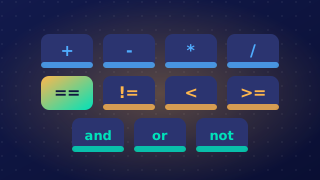
A faulty comparison is one that tests the wrong thing, usually because the wrong relational operator has been used or because the two values are compared the wrong way round. When you correct it, write out the entire corrected line of the program, not just the operator symbol on its own.
Why the symbol alone is not enough
A comparison puts a value on each side of an operator, and a program may contain several comparisons. Writing only >= or only != leaves the reader unable to tell which line is being changed, what is being compared, or which direction the test now runs in. Spelling out the whole line shows all of this at once, and it shows whether the fix was a change of operator or a swap of the two sides, so the reader can check the new test rather than guess at it.
A worked example
A theme park ride is open to anyone whose height is at least 140 cm. A condition such as height > 140 turns away a visitor who is exactly 140 cm tall, because > excludes the boundary value. Changing the operator to >= includes that visitor, and the whole corrected line shows where the operator sits and which two values it now compares.
height = int(input("Enter your height in cm: "))
if height >= 140:
    print("You can ride")
else:
    print("Sorry, you are too short")
Output when the user types 140:
Enter your height in cm: 140
You can ride
An answer of just >= does not say where or how it is used. The answer must repeat everything — the if keyword, the variable, the operator and the value, finished with the colon the program uses. Writing the line in full also shows that the corrected code is still a valid Python statement, which a bare symbol can never do.
Practise this
Edexcel GCSE Computer Science · Relational Operators