Relational Operators
Relational Operator Results
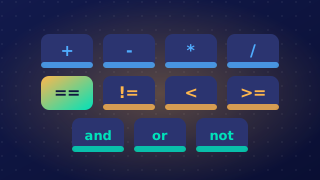
A relational operator compares two values and returns a Boolean result: either True or False. Python 3 has six of them, and the symbol you choose decides exactly when the answer is True.
What each operator returns
| Operator | Returns True when | Returns False when |
|---|---|---|
== | the two values are the same | the values differ |
!= | the two values are different | the values are the same |
> | the left value is strictly greater | it is smaller or equal |
< | the left value is strictly less | it is greater or equal |
>= | the left value is greater or equal | it is strictly smaller |
<= | the left value is less or equal | it is strictly greater |
The two strict operators, > and <, return False for two equal values, because neither value is strictly bigger or strictly smaller than the other. The two-character versions >= and <= add equality in, so they return True at the boundary. If a cinema ticket costs 12 and your limit is 12, then price > limit gives False but price >= limit gives True.
Write each operator as one unit with no space inside it: >= is correct, while > = is not. Use == for testing equality, since a single = assigns a value instead of comparing.
What the operands can be
The values either side of the operator are its operands. They can be variables, literals written straight into the line, such as a number or a string, or whole expressions. Python works out the value of each side at the moment the line runs, then compares those two values.
lives == 3compares a variable with a number literal.2 + 6 > 9compares an expression with a literal, so 8 > 9 givesFalse.score != bestcompares two variables.
Evaluating a comparison on its own
A relational expression does not need an if around it. You can store its result in a variable or print it directly, and the output is the Boolean value True or False — never a number, and never a word like yes.
distance = 250
limit = 250

in_range = distance <= limit
print(in_range)
print(distance < limit)
print(distance != limit)
Output:
True
False
False
The variable enough holds a Boolean, so it can be tested later or displayed to check your logic while building a program.
Practise this
Edexcel GCSE Computer Science · Relational Operators