Relational Operators
Comparing Strings
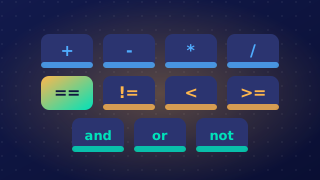
In Python, text values (strings) can be compared with relational operators. The operators == and != check whether two strings are exactly the same or different. The operators >, <, >= and <= decide which string comes first by comparing them character by character.
Ordering strings
For ordering, Python compares the first character of each string. If their character codes are different, the string with the lower code is smaller. If those characters match, it moves on to the next pair, and so on. For example, moth < mountain is True: the first two letters match, then t has a lower code than u. A shorter string that is the start of a longer one is smaller, so pea < pear is True. Uppercase letters have lower codes than lowercase letters, so Zig < ant is True because Z (code 90) is lower than a (code 97).
| Text A | Text B | Operator | Result | Reason |
|---|---|---|---|---|
| finch | finch | == | True | same characters in the same order |
| finch | Finch | == | False | f and F are different characters |
| finch | Finch | != | True | the strings are different |
| nest | next | < | True | s has a lower code than x |
Case matters
Case matters in string comparisons. Blue and blue are not equal because B and b are different characters with different codes. Comparing Blue with blue using == gives False, and using != gives True. If you need to ignore case, change the strings so their cases match first, for example by converting both to lowercase; then the comparison can give True.
first_word = input("Enter first word: ")
second_word = input("Enter second word: ")

if first_word != second_word:
    if first_word < second_word:
        print(first_word + " comes before " + second_word)
    else:
        print(first_word + " comes after " + second_word)
else:
    print("The words are identical")
Output when the user types Lemon, lemon:
Enter first word: Lemon
Enter second word: lemon
Lemon comes before lemon
Practise this
Edexcel GCSE Computer Science · Relational Operators