Flowcharts
Loops in Flowcharts

A loop in a flowchart shows a set of steps that repeats. You draw the repeated steps once, then add an arrow from a later symbol back up to an earlier one. That backward arrow is how a flowchart shows iteration.
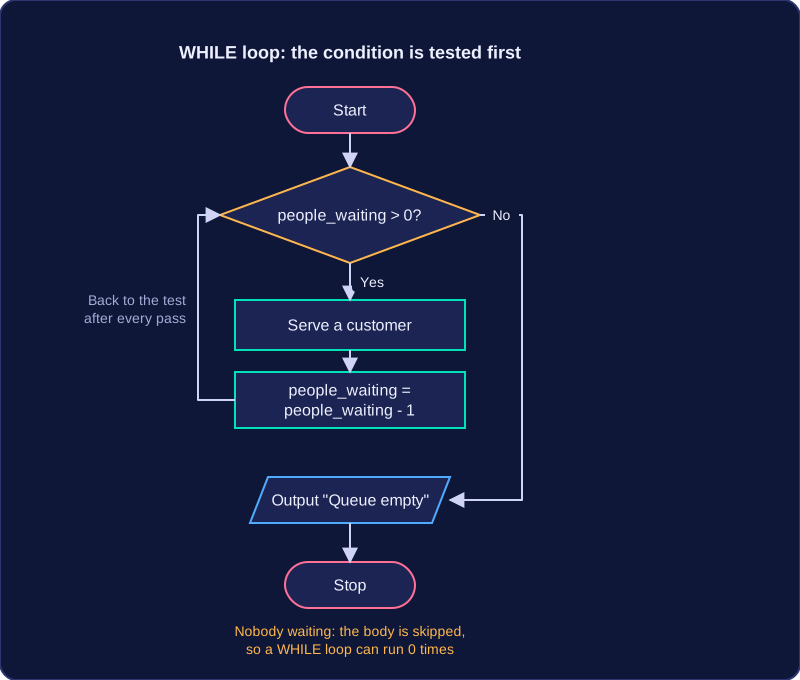
A decision diamond tests the loop condition. One labelled exit takes the flow round the loop again; the other leaves it. Something inside the loop must change each time, otherwise the tested value stays the same, the same exit is always chosen and the flowchart never reaches Stop. That is an infinite loop.
Count-controlled loops
Use a count-controlled loop when you know the number of repeats in advance. A counter is initialised before the loop, tested by the decision and increased by a fixed step until it reaches a known end value. For example, to put six stickers on each box: set stickers to 0; test stickers < 6; if Yes, stick on a sticker and increase stickers by 1, then follow the arrow back to the test; if No, leave the loop. The sixth sticker makes stickers equal 6, so the No exit is taken and the loop ends.
Condition-controlled loops
A condition-controlled loop repeats until a condition is met, so the number of repeats is not known in advance. The decision tests the condition and an arrow returns to repeat the steps while it is not met. For example, a robot moves forward until its front sensor detects a wall: test wall detected; if No, move forward and follow the arrow back to the test; if Yes, leave the loop. Moving changes the sensor reading, so the condition can eventually become true.
Choosing the right loop
| Loop type | Use when | What ends it |
|---|---|---|
| Count-controlled | the number of repeats is known before the loop starts | the counter reaches its end value |
| Condition-controlled | the repeats depend on something happening | the tested condition becomes true |
In both types, check that the decision has two labelled exits and that the loop changes a value each time.
Practise this
OCR GCSE Computer Science · Flowcharts