User Management
Password Storage

Passwords are handled by the operating system. It stores each password alongside the matching user account so that it can check it at every login.
Stored passwords are never in plain text
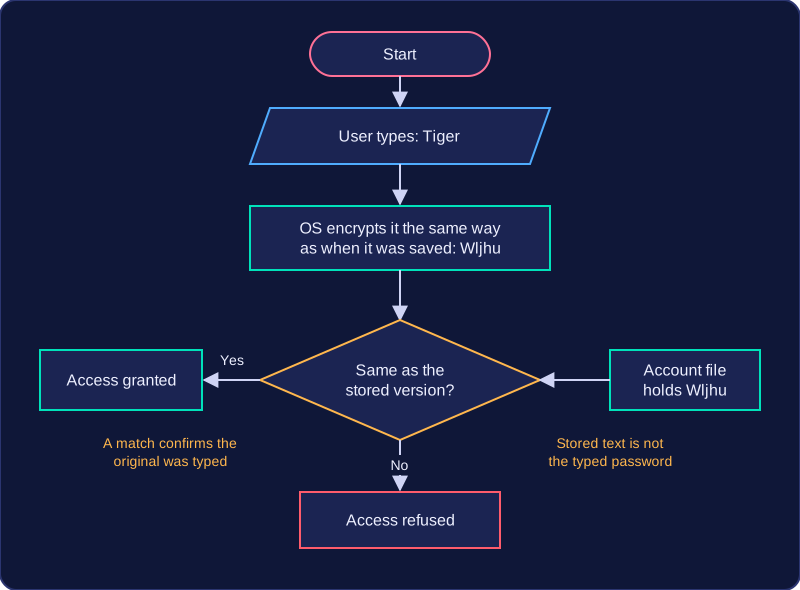
A saved password is kept in an encrypted form: it has been scrambled by a mathematical process, so the stored version does not reveal the password that was typed. The account file holds something like Wljhu instead of Tiger.
This matters because account files can be exposed — copied from a computer, seen by someone who should not have access, or leaked. If passwords sat there in plain text, anyone who saw the file could read them and then log in as that user. Encrypted, the stored text cannot simply be read off the file, so the accounts stay protected even when the stored data is seen.
Why the encrypted version can still be checked
When you log in, the operating system encrypts the password you typed in exactly the same way as when it was first saved, then compares the two versions. Because the same password always produces the same encrypted version, a match confirms you typed the original password; if the two differ, access is refused.
Practise this
Edexcel GCSE Computer Science · User Management