User Management
Access Rights

Access rights, also called permissions, are the rules attached to a user account that state what that user may and may not do. Authentication checks who you are; access rights decide what you can do once you are logged in. Because the rules belong to the account rather than the computer, two people logging on to the same laptop can find it behaves differently.
What permissions can control
| Area | Example on a school laptop |
|---|---|
| Files and folders | Whether an account can rename the leavers' assembly photos, or only look inside the folder |
| Software | Whether the laser cutter's design program opens, or tells that account it is not permitted |
| Hardware and storage | Whether an account can reach the shared art drive or connect a drawing tablet by USB |
| Actions and settings | Whether an account can shut down the laptop, change its clock or switch off the school's web filter |
Viewing without changing
A view-only permission lets a file open for reading, but refuses any save or overwrite. In the coding club's shared folder, a member's account can open the newsletter template to check it, but only the club leader can rename or move files, so nobody's entry ends up in the wrong place.
Different levels of access
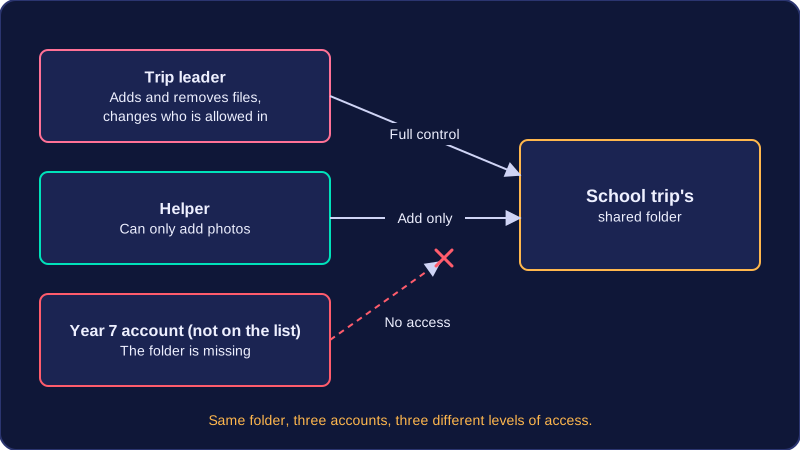
Several accounts can hold different levels of access to the same folder. In the school trip's shared folder, the leader can add and remove files and change who else is allowed in, a helper can only add photos, and a Year 7 account not on the list finds the folder missing. Permissions belong to accounts, so one machine gives each person different possibilities.
Permissions make one machine safe to share: on a shared library tablet, one student's book review opens only for their account, while another student logging on to the same tablet cannot open it. Other people's work stays private and cannot be read, changed or deleted by the wrong person. A user never grants these rights: an administrator sets them, and the operating system enforces them whenever an account logs on or uses a file or program.
Practise this
Edexcel GCSE Computer Science · User Management