User Management
Authentication

Authentication is the process of checking a user's identity before the operating system allows them access. It answers one question: is the person logging in really the owner of this account? Without that check, anyone could sit down at the computer and use another person's account, files and settings.
Logins are handled by the operating system. When you type a username and password, the username tells the operating system which account you want to open, and the password is the evidence that the account is yours. The operating system checks the password you entered against the login details it holds for that account. Access is allowed only when they match: the operating system then lets you in. If they do not match, access is refused and you can try again.
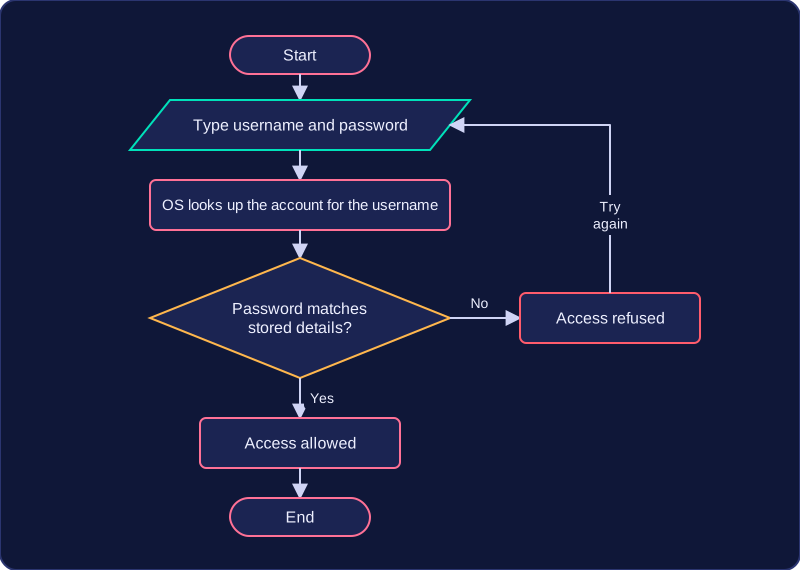
A student called Priya logs on to a laptop in the school library to use a revision program. She types priya.nair and her password. The operating system looks up the account priya.nair and checks the password she typed against the stored login details. A match authenticates her, so the revision program starts. If she mistypes her password, the operating system refuses access — even though the username is correct — because the check failed. Passwords are the most common method of authentication, but the key idea is the check itself.
Authentication is not the same as access rights. Authentication proves who you are; access rights decide what you may do once you are in. The operating system carries out the login check before any of that can happen.
Practise this
Edexcel GCSE Computer Science · User Management
Edexcel GCSE Computer Science · Preventing Network Security Risks
Edexcel GCSE Computer Science · Input Validation