Protocols & Layers
FTP

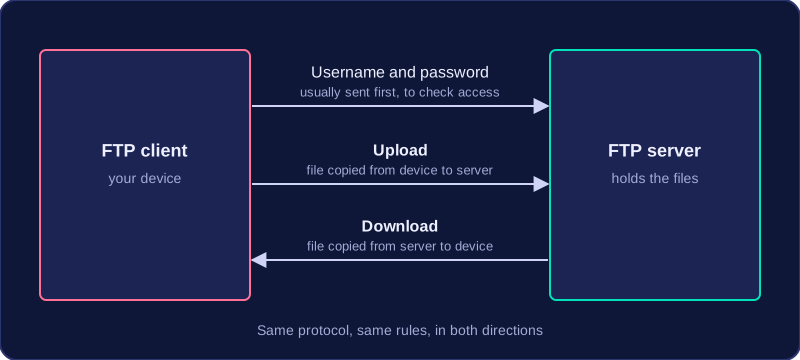
FTP (File Transfer Protocol) is the protocol used to upload files to an FTP server and to download files from one. Uploading means copying a file from your own device up to the server; downloading means copying a file from the server down to your device.
Client and server working together
The device that sends or fetches the files runs FTP client software, and the machine holding the files is the FTP server. Because both sides follow exactly the same set of rules, they can agree on which file is wanted and how many bytes it should contain, so the client can tell when the whole file has arrived. The client usually signs in with a username and password first, which lets the server check whether you are allowed to reach the stored files.
For example, a school's model railway club keeps its wiring plans on an FTP server. A member writes a new plan at home and uploads it, and another member on a different computer downloads it the next day. It is the same protocol doing the work in both directions.
A protocol, not a file format
FTP is a set of communication rules, not a kind of file. A file called wiring.pdf is still a PDF while it travels by FTP, because FTP is only the method used to move it. A file type is shown by its extension, such as .png or .wav, while FTP describes how the file was transferred, so the two are different things.
Practise this
Edexcel GCSE Computer Science · Protocols & Layers