File Handling
Reading a CSV File
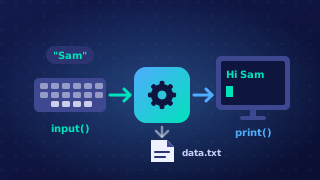
Once a CSV file has been opened for reading, the file handle can be used directly in a for loop. Each repeat of the loop gives you the next line of the file as a string, so the first repeat gives the first record and the last repeat gives the last one. When no lines are left, the loop ends on its own.
Works with any number of records
Because the loop stops at the end of the file, the same program works whether the file holds 4 records or 400. You never need to know the number of lines in advance, so avoid a loop with a fixed repetition count. If the data has already been loaded into a list, work with that list rather than opening the file again and re-reading records you already have.
Remove the newline, then split
Every line read from a text file ends with the line feed character, "\n", because that is what separates one record from the next in the file. It is not part of the data, so remove it with strip(), which takes whitespace off both ends of the line, before you do anything else. If you split first, the newline stays stuck to the last field, so a test such as fields[1] == "Mountain" fails and the value prints with a line break in the middle of your output.
Once the line is clean, split(",") returns a list of the fields, one item per value, in the order they appear in the record. A line such as B12,Mountain,4.50 becomes ["B12", "Mountain", "4.50"], and the third field needs float() before you can do arithmetic with it. Process each record inside the loop as soon as it is read: the logic stays clear and the same data is never stored twice.