File Handling
Opening and Closing Files
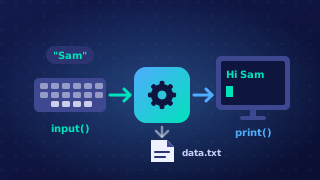
Before a program can read from or write to a file, it must open it. The open() function takes two strings: the file name and the mode. It returns a file handle, which you store in a variable such as points_file and then use for every later read, write and close. The handle is your only link to the file, so keep it in a clearly named variable instead of calling open() again each time.
For example, open("house_points.txt", "a") returns a handle for adding to that file, and every line already stored in it stays where it is.
| Mode | Opens the file for | What happens to existing contents |
|---|---|---|
| "r" | reading only; the file must already exist | left untouched |
| "w" | writing; the file is created if it does not exist | wiped, even before anything new is written |
| "a" | appending; the file is created if it does not exist | kept, with new data added after it |
Choosing the mode wrongly loses work. Opening an existing file with "w" empties it the moment it opens, so every record disappears before you have written anything. Use "a" when you want to keep what is already stored and add to the end of it.
Closing the file
close() tells Python you have finished with the file. It makes sure any waiting changes are saved to the disk and releases the file so other programs can use it. Call it once, after all your reads or writes; if you close inside a loop that is still writing records, the next write fails because the file is already shut.
Closing automatically
You can also write with open(...) as ..., which opens the file and closes it for you at the end of the indented block underneath. Every statement in that block can use the handle without closing it, and when the block finishes the file shuts itself, so it can never be left open by mistake.