Flowcharts
Flowchart Symbols

Every step of a flowchart is drawn with a standard symbol, so anyone reading it can recognise what happens at a glance. Four symbols cover the steps you will meet most often, and each shape shows a different kind of step.
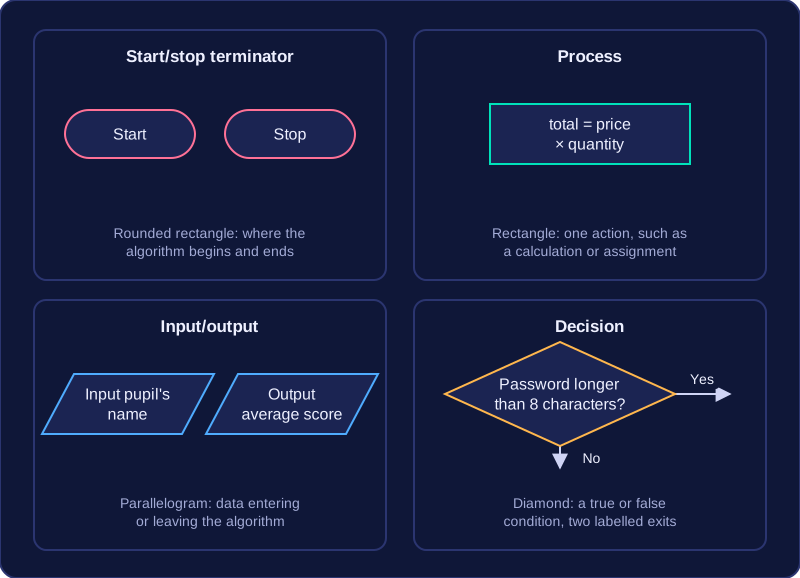
The start/stop terminator is a rounded rectangle. It marks where an algorithm begins and where it ends, usually holding the words Start and Stop, so anyone following it knows exactly where to start and where to finish.
A process symbol is a rectangle. It represents one action, such as updating a variable, performing a calculation or assigning a value. For example, a single rectangle might multiply a price by a quantity and store the answer as the total cost, keeping the whole instruction in one step.
An input/output symbol is a parallelogram. It represents data entering the algorithm, such as a value the user types in, or data leaving it, such as a result displayed on screen. For example, one parallelogram might ask for a pupil's name and another might display their average score.
A decision symbol is a diamond. It holds a condition with a true or false answer, such as whether a password is longer than eight characters. The two paths leaving the diamond are labelled, commonly Yes and No, and exactly one path is followed depending on the answer.
Practise this
Edexcel GCSE Computer Science · Flowcharts