Peripheral Management and Drivers
Queuing and Sharing Peripherals

Peripheral management is the part of the operating system that looks after the data travelling between peripherals and the processor. Peripherals work far more slowly than the processor, so peripheral management holds data and queues up jobs to stop the whole computer slowing down.
Holding data for a slow device
In a design technology room, a computer sends a list of movements to a robot arm that draws the school logo onto card. The arm moves at its own slow pace, so peripheral management holds the movement commands and passes them out one at a time, at the speed the arm can take them. The processor is then free to get on with other work in the gaps, instead of sitting idle waiting for the arm.
The same happens in reverse with a slow input device: readings are held as they arrive until the program that needs them is ready, so nothing is lost while it waits.
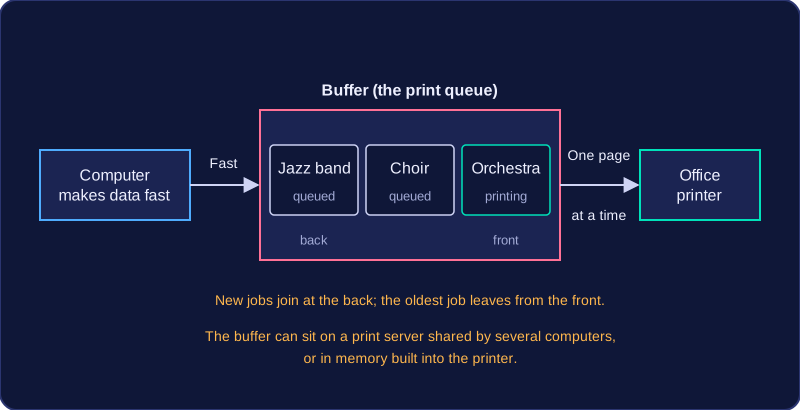
Jobs on their way to a device are kept in a queue, and the operating system releases them in turn. That way several jobs waiting for the same device are never mixed together.
Stopping two programs clashing
A peripheral is often wanted by more than one program at once. Picture the barcode scanner on a school library desk: the issuing program uses it to check books out and back in, and a stock-taking program uses it to record which books are on the shelves.
If the scanner reported a barcode while both programs were waiting for it, the code could end up in the wrong one, and a book could be marked as returned when it is still out. Peripheral management prevents two programs from using the same peripheral at the same time, so one program finishes with the scanner before the next one takes it. Both jobs still complete correctly, just one after the other.
Practise this
OCR GCSE Computer Science · Peripheral Management and Drivers