Access and Physical Security
Device and Screen Security
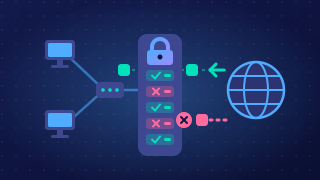
Physical security does not only mean protecting a room or a building. It also covers the individual device: keeping the hardware where it belongs, and keeping other people out of an account that is already logged in. Two simple measures deal with the two most common real-world risks.
Cable locks
A cable lock is a steel cable with a loop at one end. You pass the loop around a desk leg or a fixed anchor point and clip the other end into a small security slot on the laptop or monitor. The device stays tied to the furniture, so a thief cannot simply pick it up and walk out with it; cutting the cable or damaging the desk takes time and attracts attention.
The cable therefore mainly defeats the opportunist, who spots an unattended laptop in a busy room and takes it. It protects the hardware, and the data on it, because the device and its files cannot be carried off together.
Locking the screen
Screen locking means setting the computer to ask for the password again after a short time with no activity, or pressing the lock key before you walk away. A logged-in machine with nobody at it is an open door: anyone passing can send messages in your name, delete your work, read private files or install software. The password is only checked when the computer returns to the login screen, so an unlocked machine never asks.
Locking the screen also blocks shoulder surfing, where someone reads your screen or watches your fingers as you type a password. A locked machine shows only the login box, and keeping a hand over the keys as you type covers the other half of the problem.
For example, a college art studio cables each computer to the desk frame and asks students to press the lock key when they go to collect their prints. A visitor wandering in can neither carry a computer away nor work inside a student's account.
Practise this
OCR GCSE Computer Science · Access and Physical Security