Access and Physical Security
Applying Access and Physical Security
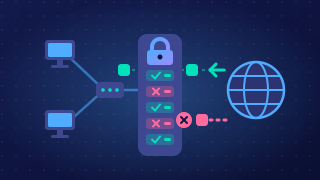
Three ways to cut down the threats a network faces are passwords, user access levels and physical security. Each limits a different threat, and the threat it targets shows why it works.
| Method | Threat it limits | How it limits that threat |
|---|---|---|
| Password | Unauthorised access to an account, and brute-force guessing | A secret value must be given before anyone gets in. Rules on length and character types make the guesses needed enormous, and a lockout after repeated failures stops the attacker trying again. |
| User access level | Damage from a stolen or misused account, malware being installed, staff seeing data they do not need | Each account gets read, write, delete or no permission only where the job needs it, so a misused account cannot wipe records or install software. |
| Physical security | Theft of devices and the data on them, and an intruder joining the network | Locks, key cards and guards keep people away from the hardware, and CCTV deters and records anyone who tries, so nobody can carry off a laptop or plug into a network socket. |
Passwords and user access levels are software-based: the rules live inside the system, so they only work while it is running. Physical security is not software-based — a locked door keeps people out even when the computers are switched off. A password typed at a login screen is never physical security, however strong it is.
In a scenario
A community radio station streams its shows over the internet. Presenters use the studio computer to add tracks to a playlist and record their own show, but only the station manager can publish a finished recording or delete anything from the archive. The playout computer sits in a locked rack, in a room entered with a key fob.
- Password: the manager's account is guarded by a long passphrase, so a program trying thousands of guesses is shut out.
- Access level: a presenter can add tracks but cannot publish or delete, so a hijacked account cannot wipe the archive.
- Physical security: the key fob and locked rack keep strangers from the playout computer, so nobody can unplug it mid-show.
Practise this
OCR GCSE Computer Science · Access and Physical Security