Libraries
Time Library
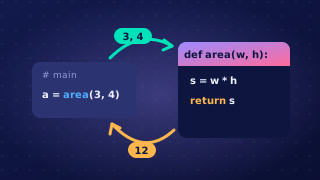
The time library provides subprograms for working with time, so you never have to write timing code yourself. You import the library and then call the subprogram you need, putting the library name in front of it, as in time.sleep().
Pausing a program
time.sleep() pauses a running program for a set length of time. It takes exactly one argument — the length of the pause — and that number is measured in seconds, so time.sleep(2) waits two seconds, not two milliseconds. Decimals are allowed too: time.sleep(0.5) waits half a second.
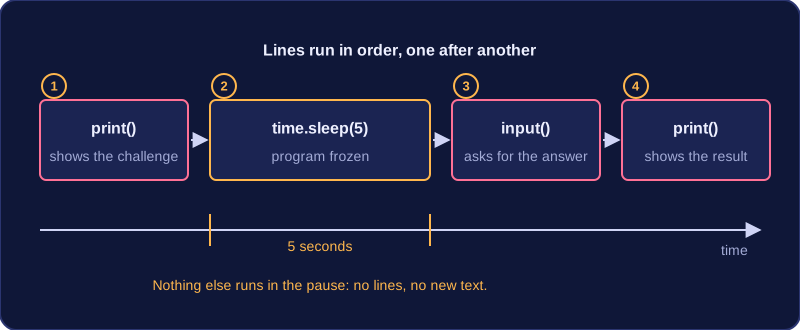
While the pause is happening the program does nothing else: no further lines run and no new text appears on the screen until the wait is over. That makes sleep useful for pacing a program: giving someone a few seconds to read a question or think of an answer before the next line is displayed, or slowing a game down so events do not rush past the player.
import time

print("Mental maths challenge: 17 * 4")
time.sleep(5)
answer = input("Your answer: ")
print("You wrote " + answer + ", the correct answer is " + str(17 * 4) + ".")
Output when the user types 68:
Mental maths challenge: 17 * 4
Your answer: 68
You wrote 68, the correct answer is 68.
The lines run in order. The challenge is printed, then the program freezes for five seconds while the player thinks, then the input prompt appears. The last line only runs once an answer has been typed and Enter is pressed.
Sleep is a procedure
time.sleep() carries out a task but returns nothing — no value is sent back to the program. In Python the call gives back only the special value None, so assigning it, such as wait = time.sleep(3), leaves wait holding None, which is no use in your program; you call sleep on its own line and ignore the result. A subprogram that returns no value is a procedure, so sleep is a procedure, whereas a subprogram such as a random integer function hands a value back and is a function.
Practise this
Edexcel GCSE Computer Science · Libraries