Libraries
Math Library
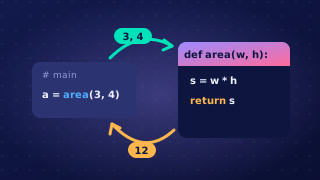
The math library is a collection of ready-made mathematical subprograms and constants, so you do not have to write them yourself. You import it with import math, then write the library name, a dot, and the name of the subprogram or constant you need.
The constant pi
math.pi holds the value of pi, about 3.14159. It is a constant, not a subprogram, so it is used directly as a value: no brackets, no arguments. Writing your own approximation such as 3.14 loses accuracy, so use the supplied constant throughout a calculation. A bike wheel with a diameter of 0.7 m rolls math.pi * 0.7 metres in one full turn, about 2.2 m.
The ceiling function
math.ceil() takes one argument and returns the smallest whole number that is greater than or equal to it, so any decimal part always pushes the result up: math.ceil(4.1) is 5, while math.ceil(4.0) is 4. It never rounds to the nearest value, and casting with int() would chop the decimal part off instead of rounding up.
Rounding up matters when a calculation produces part of an item but only whole items can be supplied. For a school concert, 250 guests sit at tables of 8: 250 / 8 = 31.25, so math.ceil(250 / 8) gives 32 tables. Rounding to the nearest would give 31 and leave 2 guests with nowhere to sit.
Powers
The library also provides a power function, math.pow(), which raises the first argument to the power of the second: math.pow(3, 4) returns 81.0 as a float. The ** operator does the same job, so 3 ** 4 gives 81.
import math

diameter = 0.7
turn_distance = math.pi * diameter
print("One wheel turn covers " + str(round(turn_distance, 2)) + " m")

guests = 250
tables = math.ceil(guests / 8)
print("Tables needed: " + str(tables))
Output:
One wheel turn covers 2.2 m
Tables needed: 32
Practise this
Edexcel GCSE Computer Science · Libraries