Process Management
Processes

A process is a program, or part of a program, that is being run or needs to be run on the CPU. At any moment a computer usually has lots of processes: the one the CPU is working on right now, and the others waiting their turn.
A program is simply a set of instructions stored in a file. On its own it does nothing — it is a list of steps with nobody stepping through them. A process is that program in execution, or waiting to execute. That is the whole difference: the instructions are the same, but a process is those instructions being carried out, or lined up to be carried out.
Program compared with process
| Program | Process | |
|---|---|---|
| What it is | A set of instructions that does a job | A program, or part of one, being run or needing to be run on the CPU |
| Where it sits | In a file on a storage drive | In RAM while it is running or waiting |
| Is anything happening? | No — nothing runs until it is started | Yes — the CPU is working through its instructions, now or shortly |
A worked example
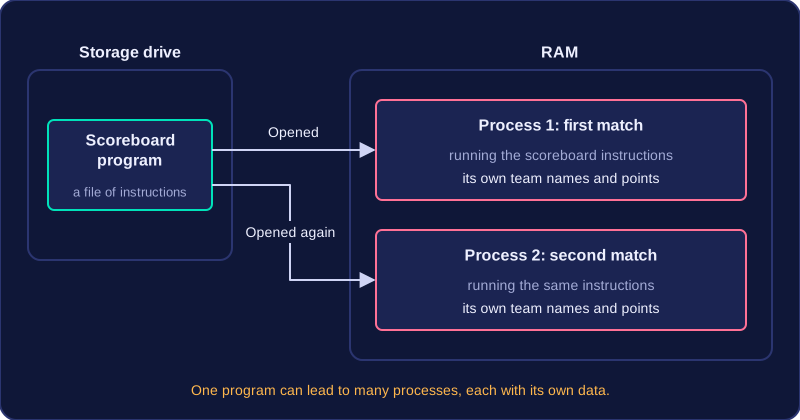
Your school laptop has a scoreboard program saved on its drive. Until someone opens it, it is only a program: a file of instructions doing nothing. When the sports teacher launches it, the operating system loads those instructions into RAM and the CPU begins working through them, filling in the team names and points. It is now a process, because it is being run.
If the teacher opens a second copy of the same scoreboard for another match, there are two processes made from one program. Each has its own team names and points, so each is a separate process with its own data. One program can therefore lead to many processes, which is why a computer with only a handful of programs open can still have dozens of processes to manage.
Practise this
Edexcel GCSE Computer Science · Process Management
Edexcel GCSE Computer Science · Purpose & Function of Operating Systems