Process Management
Managing Processes

Process management is one of the functions of an operating system. It is the operating system's job to look after every process on the computer so that each one gets a turn to use the CPU.
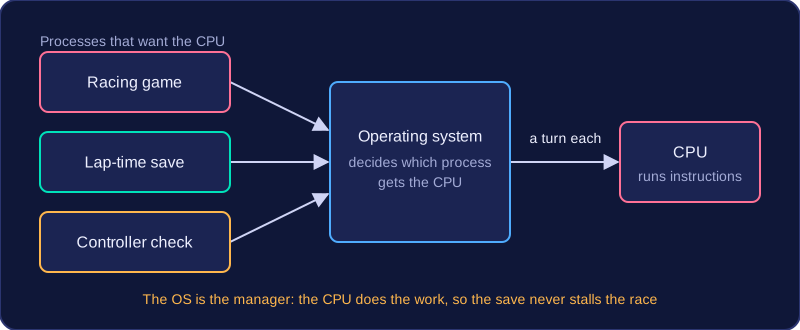
A single CPU core can only carry out one process at a time, yet a typical computer has dozens of processes that all want to run — a game, a music player, the small program that keeps the battery icon up to date. The operating system keeps track of all of them and shares the CPU's time between them, so each process makes some progress instead of one of them holding on to the processor and freezing everything else. Sharing the CPU like this is what allows a computer to multi-task.
The operating system is the manager, not the worker: it never executes a process itself. The CPU runs the instructions, while the operating system decides which process should be allowed to use it and keeps everything in order. As part of process management, the operating system also manages interrupts — signals that tell the CPU an event needs attention.
A worked example
A games console is running a racing game when it also begins saving your lap times and checks whether a second controller has been connected. Each of these is a separate process with a claim on the CPU. Process management is what stops the save from stalling the race: the operating system watches over all three and gives each one its share of CPU time, so the game keeps moving, the save finishes and the controller check still happens.
Practise this
Edexcel GCSE Computer Science · Process Management