Peripheral Management
Printer Status and Errors

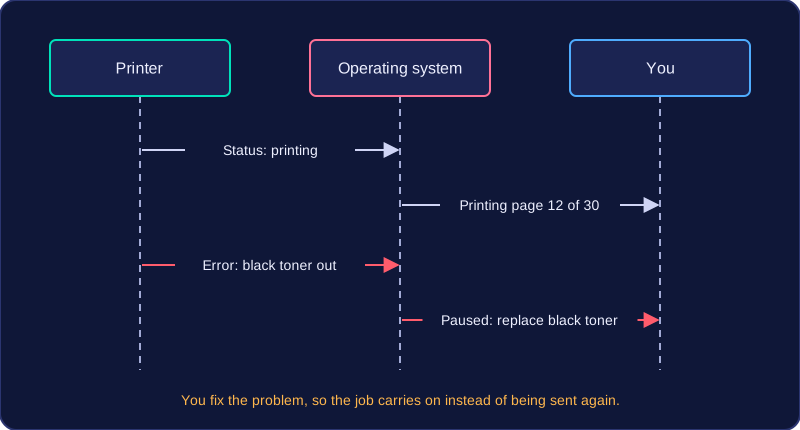
When you print a document, the printer keeps the operating system informed about what is happening. It sends status information back to the operating system, which passes it on to you. This feedback tells you how a print job is getting on and what has gone wrong if it fails.
Following a print job
The printer can report that it has accepted a job, that it is warming up, how many pages it has printed so far, whether it is paused, and when the job is finished. The operating system collects these messages and shows them in a form you can read, often naming the document and its current state.
For example, you send thirty tickets for a school show to be printed. The operating system shows Printing page 12 of 30, then Paused: replace black toner. You can see the job is held up rather than lost, so you change the toner instead of sending the tickets again. Without that feedback you might press print a second time and end up with duplicate copies in the print queue.
Reporting errors
If the printer cannot carry on, it sends an error back to the operating system, which reports the problem to you. This might be that the printer cannot be reached over the school network, that its front cover has been left open, or that a sheet is jammed inside. The message often names the document affected and says whether the job has been cancelled.
This matters because the computer and the printer are separate devices: the computer cannot tell on its own what state the printer hardware is in. An error message is the printer's way of asking for help, and once you deal with the problem the job can carry on or be started again. Jobs may wait in a print queue, but that never removes the need for the printer to report its status and errors.
Practise this
Edexcel GCSE Computer Science · Peripheral Management