File Management
File Paths

A file path is the route through the folder structure, from the root directory all the way down to one particular file. Because it lists every folder on the way and ends with the file name, it records exactly where that file sits relative to the root.
Reading a path
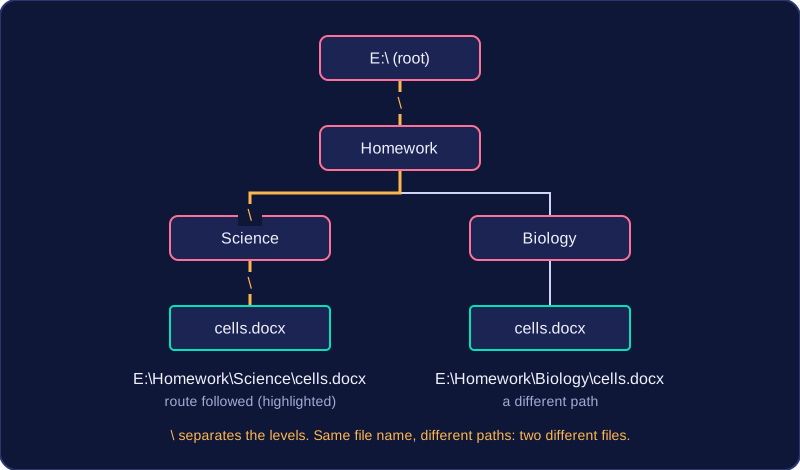
Take the path E:\Homework\Science\cells.docx. The root directory is E:\ — the top-level folder, not a file. Inside it sits a folder called Homework, inside that a subfolder called Science, and inside that the file cells.docx.
The backslashes are separators. They show where one folder name ends and the next begins, so nothing is ambiguous: without them, HomeworkScience could be read as a single long name. Other systems use a forward slash instead, as in /home/amir/art/mural.png, but the job is the same.
Why the path identifies one file
Two files in different folders can share a file name. A file at E:\Homework\Science\cells.docx and another at E:\Homework\Biology\cells.docx are both called cells.docx, but their full paths are different, so each is still identified uniquely. It is the whole path, not the file name on its own, that identifies a file. So every file has its own unique path.
Finding a file quickly
Because the path leads straight down the hierarchy, the operating system and any program can go directly to the file rather than searching the whole storage device. Opening E:\Homework\Science\cells.docx means four clear steps: root, Homework, Science, file. That is also why every part of the path must be exact — one wrong folder name points somewhere the file is not.
Practise this
Edexcel GCSE Computer Science · File Management