Input Validation
Presence Checks
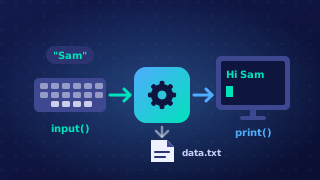
A presence check confirms that a required value has been entered and that the field has not been left empty. It is used whenever a value must be supplied before the program can continue, such as a delivery reference, a booking code or a quiz team name. If the user just presses Enter, the program should refuse to carry on until something is typed.
In Python, input() returns a string. If the user presses Enter without typing, the string has no characters, so comparing it with "" is True. A condition such as reference == "" detects the empty field. The program can then display an error message and ask again. Using .strip() first removes spaces and other whitespace from both ends, so a field containing only spaces is also treated as empty; without it, a single space is a character and would pass the check.
# A presence check with three attempts
attempts = 0
tracking_ref = ""
while tracking_ref == "" and attempts < 3:
    tracking_ref = input("Enter your delivery reference: ").strip()
    if tracking_ref == "":
        print("A delivery reference is required.")
        attempts = attempts + 1

if tracking_ref == "":
    print("No reference entered. Tracking cancelled.")
else:
    print("Tracking parcel " + tracking_ref)
Output when the user types QR-77310:
Enter your delivery reference: QR-77310
Tracking parcel QR-77310
The loop gives the user three chances to type a delivery reference. Each blank answer is rejected with a message, and the program only starts tracking the parcel once the stored string contains at least one character. A presence check does not judge whether the text is sensible or in the right format; it only checks that something has been typed.
Practise this
Edexcel GCSE Computer Science · Input Validation