Input Validation
Length Checks
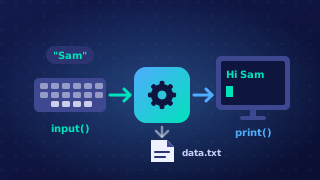
A length check is a validation check that confirms a string contains an allowed number of characters. The rule can set a minimum length, a maximum length, or an exact length that must be matched precisely. It is used whenever the number of characters matters, such as a membership number that must be exactly seven characters, or a comment box that must not exceed 200 characters.
Counting the characters
In Python, len() returns the number of characters in a string, including spaces and punctuation. So len(answer) can be compared with the allowed length using <, <=, > or >=. Choosing the wrong one moves the boundary: len(answer) < 5 rejects a five-character answer, while len(answer) <= 5 accepts it. Use <= or >= when the boundary value is allowed.
For example, a library card code must be exactly six characters. Typing P7K2Q9 gives len() a value of 6, so len(code) != 6 is False and the code is accepted. Typing P7K2Q gives 5, so the condition is True and an error is shown.
A length check in a program
The program below keeps asking until the code is the right length. len(code) counts every character, so a code containing a space would still pass if the count happened to be six — the length is all this check looks at.
code = input("Enter your library card code: ")
while len(code) != 6:
    print("Code must be exactly 6 characters")
    code = input("Enter your library card code: ")
print("Code accepted: " + code)
Output when the user types P7K2Q, P7K2Q9:
Enter your library card code: P7K2Q
Code must be exactly 6 characters
Enter your library card code: P7K2Q9
Code accepted: P7K2Q9
What it does not do
A length check tests only the number of characters. It does not check whether those characters are letters, digits or a sensible value: !!!!!! passes an exact-six check just as easily as P7K2Q9. Other checks, such as a pattern check, are needed to test the type of character.
Practise this
Edexcel GCSE Computer Science · Input Validation