Develop Code
Readability
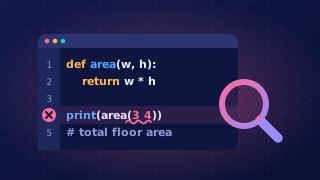
Readable code is code that another person can follow easily. It is written so the purpose of each part and the overall structure are clear, not just so the computer can run it.
Why it matters
Readable code is easier to read, understand and maintain. Maintenance covers correcting errors, updating a program when requirements change and reusing code later. If a program has to be changed, clear code saves time because you can find the right section quickly instead of working out what every line does.
Readability also helps when code is reviewed, tested, debugged or reused. Other programmers can check it, and so can you when you return to it weeks later. When you test a program, clear code lets you compare one section at a time with its expected output. When someone updates it later, they can change one part without having to decode every line.
Techniques work together
Techniques such as layout, indentation, comments, meaningful identifiers and white space should make the purpose and structure of a program clearer. They change how the code looks to a reader, not what the program does. They cannot fix a logic error or add a feature; the instructions still have to be correct.
Good practice combines several techniques rather than relying on one. A comment is more useful beside a well-named variable inside an indented block than in a cramped, cryptic program. This short program is arranged so a reader can see its job, its input and its two outcomes.
# Saving for a trip
ticket_cost = 45
weekly_saving = 12
weeks_saved = int(input("How many weeks have you saved? "))

money_saved = weekly_saving * weeks_saved
if money_saved >= ticket_cost:
    print("You can book the trip")
else:
    print("Keep saving")
Output when the user types 4:
How many weeks have you saved? 4
You can book the tripLayout is the way the code in a program is arranged on the page. It covers the order of the statements, where line breaks go and how related lines are grouped together. Good layout does not change what the program does, but it makes the program much easier to read and to change later.
A well-laid-out program is split into logical sections, each doing one job. A common order is:
importlines at the top- constants and variables (the setup)
- subprograms
- the main program that uses them
Why this order? The reader meets the things the program depends on before the code that uses them, so nothing is a surprise when they reach it.
Related statements should sit together, and one blank line should separate groups that do different jobs. That way the reader can see where one job ends and the next begins. Each statement should also go on its own line rather than being crammed onto a shared line, because a stack of statements on one line is slow to scan and easy to misread.
In this short program the setup, the subprogram and the main program each sit in their own section, with a blank line between them:
# Set up the values
pool_length = 25
target = 1000

# Work out how many lengths make a distance
def lengths_for(distance, length):
    return distance // length

# Main program
total = lengths_for(target, pool_length)
print("Lengths: " + str(total))
Output:
Lengths: 40Never let tidying up change the logic. Splitting two statements that share a line onto separate lines, or moving a subprogram below the main program, leaves the output exactly the same. But putting the setup after the main program would break it, because the variables would have no value when they are used.
A comment is a note written inside a program for a person to read. The computer ignores comments when the program runs, so they do not change what the program does or fix a logic error. Comments help someone reading the code understand its purpose and what each section is for.
Writing comments in Python
In Python, a comment starts with the hash symbol # and continues to the end of that line. Anything after the # is not run. A comment can be on its own line, which is clear for explaining a section, or after a statement. At the top of a program, comments often state the program's purpose and identify its author.
# Shopping basket total by R. Ali

basket = [2.50, 1.20, 4.00]
# Add every item price to the running total
total = 0
for price in basket:
    total = total + price
print('Total: ' + str(total))
Output:
Total: 7.7Useful comments, not clutter
Use comments where they help understanding: explain the job of a block of code or a step that is not obvious. Do not comment every line, because too many comments clutter the code and make it harder to scan. Avoid comments that state the obvious, such as # Set total to zero above total = 0. A useful comment should add information that the code alone does not make clear.
Remember that comments only explain code. If the instructions contain a mistake, the comment cannot correct it; you must change the instructions themselves.
A meaningful identifier is a name for a variable, constant or subprogram that describes its purpose or the data it holds. In a ticket-booking program, ticket_price tells you what the value is, while p gives you no clue. The same applies to subprograms: calculate_total() says what it does, but calc() does not.
Meaningful names make a program easier to understand and maintain. When a name explains itself, you need fewer comments, because the code already shows what the value is for. It also helps when you test or debug: you can follow a value through the program without searching back to find out what it means.
Choosing names
| Weak name | Meaningful identifier | Why it is better |
|---|---|---|
| p | ticket_price | says which price is stored |
| t | tickets_sold | says what has been counted |
| d | discount_rate | says what the number is used for |
Names should be clear and consistent. Use the same name for the same value throughout, and avoid cryptic names unless their meaning is obvious — i is fine for a simple loop counter, but not much else. A good name is as short as it can be while still being clear, not as long as possible; player_score is better than the_score_that_the_player_has_earned.
Renaming an identifier
If you rename an identifier, every reference to it must be updated. Leave one line out and the program may end up using two names for what should be one value, or it may stop with a NameError when it reaches a name that no longer exists. Changing seats_booked to tickets_sold, for example, means editing every line that uses it.
The program below uses meaningful identifiers throughout:
def share_cost(bill_amount, diners):
    return bill_amount / diners

diners = int(input("How many diners? "))
bill_amount = float(input("Total bill: "))
each_pays = share_cost(bill_amount, diners)
print("Each person pays " + str(round(each_pays, 2)))
Output when the user types 4, 28.40:
How many diners? 4
Total bill: 28.40
Each person pays 7.1
Every name in this program earns its place: diners, bill_amount and each_pays say exactly what they hold, and share_cost() says what the subprogram does. You can follow the calculation without a single comment.
White space is the spaces and blank lines in a program that separate code and stop it looking cramped. It does not change what the program does, but it changes how quickly a person can scan it.
A blank line between sections, such as after a subprogram or between setting up variables and using them, shows where one job ends and the next begins, so the layout of the program is easier to follow. Spaces around operators, such as the equals sign and the multiplication sign, keep the parts of an expression apart so you can see the structure at a glance. Too much white space works against you: many blank lines inside a short block break the code into fragments, and badly placed spaces can make a line look untidy rather than clear.
In Python, spaces at the start of a line are indentation, which is part of the block structure. They are not optional decoration: change them and the program may run differently or fail. White space between statements and inside expressions is more flexible, but keep it consistent so the reader knows what to expect.
The short program below uses one blank line between the subprogram and the main code, and spaces around each operator.
def total_cost(price, quantity):
    return price * quantity

item_price = 4
item_count = 6
cost = total_cost(item_price, item_count)
print("Cost: " + str(cost))
Output:
Cost: 24