Compression
Need for Compression
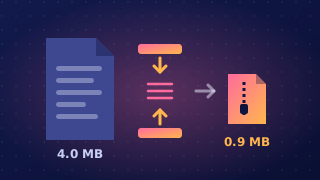
Compression is the process of shrinking a file using an algorithm. Files are compressed because almost everything you do with data — storing it, sending it, playing it — costs less when there is less data to handle.
Less storage, quicker transfer
A smaller file takes up less storage space, so a memory card, phone or hard drive holds more before it fills up. Size also decides how long a file takes to move: sending a 60 MB folder across a slow school connection takes far longer than sending the same content compressed to 12 MB. Shorter transfers mean less waiting and less time connected to the network.
A lighter load on networks
Compressed files mean less data travelling across a network, so overall internet traffic falls and less bandwidth is needed — bandwidth that other users can then share, especially at busy times. Files are split into packets, each carrying a limited amount of data, so a smaller file needs fewer packets to get there. Fewer packets means less work for the network and less extra header data wrapped around the content.
Compression makes streaming practical. A player shows video at a steady rate — several megabytes every second — so the file has to arrive at least that fast. When a file is too big for the connection to carry it at that rate, the player runs out of data part-way through; a compressed version keeps pace and plays from start to finish.
Fitting inside limits
Compression also lets a file squeeze under a limit it would otherwise break. Email services set a maximum attachment size, so a file larger than that limit cannot be sent until it is compressed — waiting longer makes no difference. Backups work the same way: compress files before copying them and more of them fit on the same backup disk or tape.
Practise this
Edexcel GCSE Computer Science · Compression