Operating systems
Memory Management and Multitasking

Memory management and multitasking is the operating system function that controls where each running application is placed in memory, and moves the program's instructions and the data it uses from secondary storage into memory when they are needed. Programs are stored in secondary storage, but they must be copied into memory before the processor can run them. The operating system handles this transfer and keeps a record of which areas of memory are free and which are in use. It also loads data, such as a photo you open, from secondary storage into memory.
Giving each application its own area
When you open an application, the operating system loads it from secondary storage into memory and reserves a separate area for it. Each running application gets its own area, so one program cannot overwrite another program's instructions or data. When you close an application, its memory is released and can be used by something else.
Multitasking
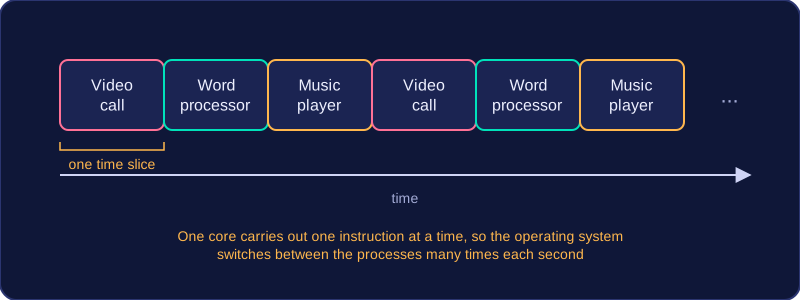
Multitasking means the operating system manages several programs so they can be in memory and appear to run at the same time. The operating system switches between them quickly enough that they appear to run together. It is not simply having several windows open: a window can be open while the program inside it is doing nothing. The operating system allocates memory to each program and manages how the programs run, so one program does not stop the others from working.
For example, you might open a 3D design app to build a model and a calculator app to work out dimensions. The operating system loads each app from secondary storage into its own area of memory. If you close the calculator, that memory is freed for another program, while the 3D design app keeps its own area.
Practise this
OCR GCSE Computer Science · Operating systems
OCR GCSE Computer Science · Memory Management and Multitasking