Languages
Interpreters
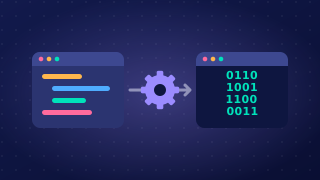
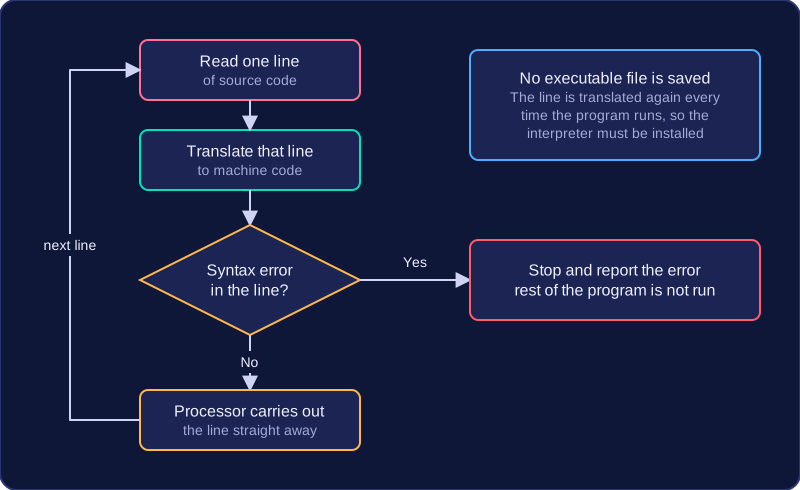
An interpreter is a translator that converts source code into machine code one line or statement at a time. Each line is executed immediately, then the interpreter moves on to the next one. It does not create an executable file, so the program is translated again every time it is run.
Errors and debugging
If an error occurs in a line, either while the line is being translated or while it runs, the interpreter stops at that line and displays an error message. You can see exactly where the problem is, which helps you find and fix it. Earlier lines have already been executed, so the program may have produced some output before it stops.
total = 8 + 4
print(total)
average = total / 0
print(average)
Output:
12
ZeroDivisionError: division by zero (line 3)
Benefits of an interpreter
- It helps during development and debugging, because you can test a change immediately without compiling the whole program again.
- Errors are reported as they are reached, pointing to the line that caused the problem, so faults are quick to track down.
- You can run a program even if some parts are unfinished, so you can test one section at a time.
Drawbacks of an interpreter
- Execution is slower, as each line is translated again on every run. Lines inside a loop are translated again on each pass.
- Anyone running the program needs the interpreter installed as well as the source code itself. The user therefore has a copy of the source code, so it cannot be kept private.
Interpreters are most useful during development; compilers suit finished programs that are given to users.
Practise this
OCR GCSE Computer Science · Languages