File Handling
Opening and closing files

File handling is how a program works with a file stored in secondary storage. The four basic operations are open, read, write and close.
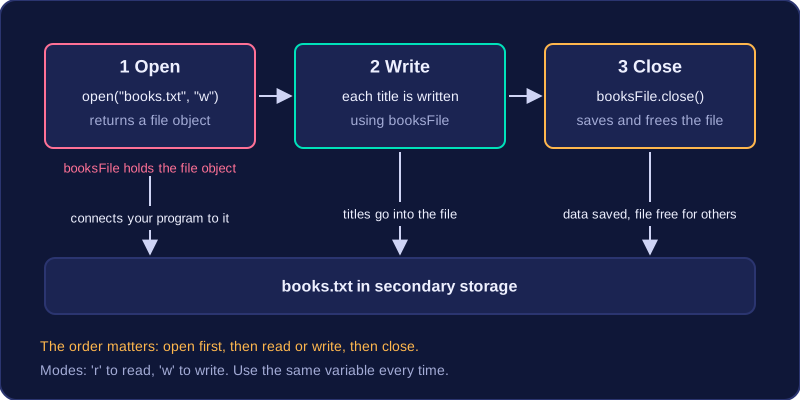
Opening a file connects your program to it. Reading takes information out of the file, normally a line at a time, and writing puts data into the file. Closing finishes using it. The order matters: open first, then read or write, then close. A program cannot read or write before opening, because until then there is no file object to work with.
In Python, open() needs the file name and a mode, such as 'r' to read or 'w' to write, and it returns a file object. Store that object in a variable and use the same variable for every later operation, including closing, so the program knows which open file you mean.
For example, a program saving the titles of books read this term would open books.txt in write mode and keep the file object in a variable called booksFile. Each title is written using booksFile, and the last step is to call close() on it. Using a different variable later would mean the program is no longer pointing at your file, so the data would not reach it.
Closing makes sure any data you have written is saved to the file and frees the file so other programs can use it. A program that opens a file should close it at the end, even when it has only been reading.
Practise this
OCR GCSE Computer Science · File Handling