Identifying and preventing vulnerabilities
User Access Levels
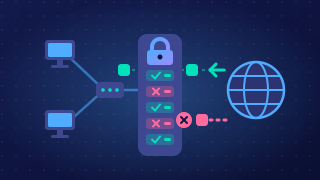
User access levels are sets of permissions attached to each account, chosen by an administrator. Each user gets only the permissions their job needs: on a school clubs website, a student account can book a place and see their own bookings, but cannot cancel someone else's booking or change the ticket price.
Because every account is limited, a compromised account is limited too. If an attacker guesses a student's password, they can only book a place — not open the admin area and rewrite every record. The damage stays small, and the school can reset the password once it notices.
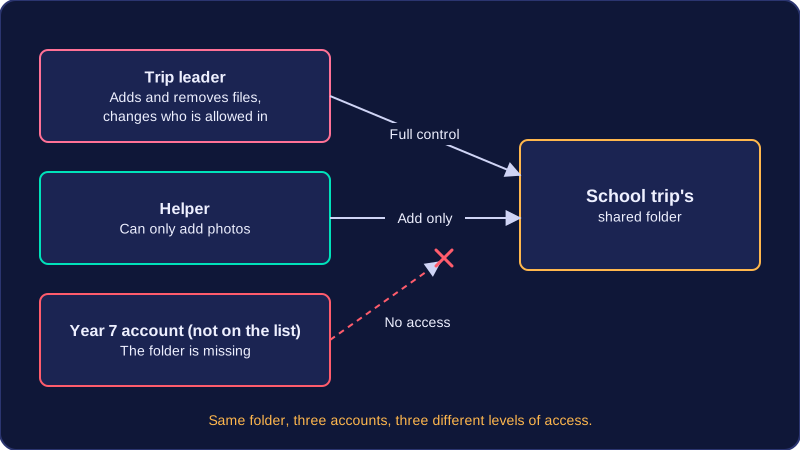
Fewer accidents and less malware
Limited permissions also reduce accidental changes. A club leader whose account cannot delete records cannot wipe them by mistake at the end of a busy lunchtime, because the delete option was never there.
Installing software needs an administrator's permission, so if ordinary users cannot install software, malware arriving as an email attachment or a downloaded file is far less likely to take hold, even when nobody recognises the infected file.
Limiting what attacks achieve
Restricting database access limits SQL injection. The booking form connects to the database using an account that can only read the bookings table, so an attacker who slips extra SQL into the form cannot pull addresses out of other tables or drop records.
Limiting permissions also reduces what social engineering can achieve. If a caller tricks a receptionist into reading out the files on their screen, the attacker learns only what the receptionist's account can see, not files belonging to the whole organisation.
All of this follows the principle of least privilege: give each account the smallest set of permissions that still lets the person do their job, and change those permissions when someone's role changes.
Practise this
OCR GCSE Computer Science · Identifying and preventing vulnerabilities
OCR GCSE Computer Science · Access and Physical Security