Identifying and preventing vulnerabilities
Anti-malware Software
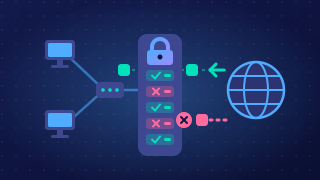
Anti-malware software is a prevention method that detects, blocks and removes malware on a computer system. It runs alongside normal use, quietly checking things as you work, and raises an alert only when it finds something suspicious.
What it scans
Anti-malware software examines the places malware likes to hide:
- Files on the hard drive, including downloads and attachments you have saved.
- Memory, because some malware only exists while it is running and never sits in a file.
- Incoming data, such as a file arriving over the network or on a USB stick, so the malware is caught before it settles in.
It compares what it finds against a list of known malicious patterns — pieces of code that earlier malware was built from. For example, if a photo-editing app you installed contains a pattern linked to a program that secretly records keystrokes, the scanner recognises it and stops it.
Quarantine or delete
Once malware is found, the software can quarantine the file, moving it somewhere it cannot run so it can do no harm while you decide what to do, or simply delete it. Quarantining is useful when a file might be a false alarm, since it can be restored.
Why it is not enough on its own
Anti-malware cannot guarantee a system will never be infected. Brand-new malware has no known pattern yet, so a scanner may let it through until its list of patterns is updated. This is why anti-malware is used together with other prevention methods such as firewalls and user access levels.
It is not the same as a firewall: a firewall filters network traffic by rules and decides what may enter or leave, while anti-malware looks inside files and memory for malicious software. Anti-malware also does not stop a denial-of-service attack or an SQL injection; those need different prevention methods.
Practise this
OCR GCSE Computer Science · Identifying and preventing vulnerabilities
OCR GCSE Computer Science · Protecting a Network