Compression
Lossy compression

Lossy compression makes a file smaller by permanently removing some of its data. It removes the data you are least likely to notice, so the file still works and still looks or sounds close to the original.
For example, in a photo of a school sports day, lossy compression might remove tiny differences in the shades of green in the grass. In a recording of a choir, it might remove very quiet sounds behind the singing. In both cases, the photo or recording is still usable, but some detail has gone.
The removal is permanent. When the file is decompressed, the missing data does not come back, so the original file cannot be rebuilt exactly. The compressed file is much smaller, but its quality is lower. Light compression may be hard to notice; heavy compression can make an image look blurry or patchy, and make sound seem muffled.
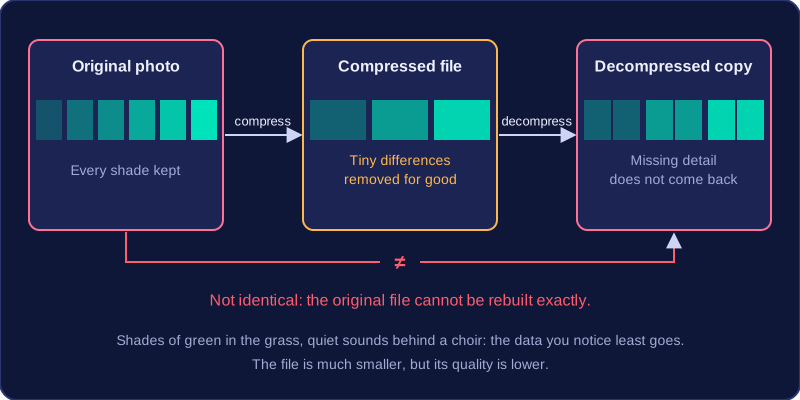
Compressing an already lossy file again removes even more data, so the quality drops further each time.
Advantages and disadvantages
- Advantage: lossy compression reduces file size much more than lossless compression does. Files take up much less storage space and are much quicker to upload, download and stream.
- Disadvantage: quality is reduced, the original file can never be restored, and the method is unsuitable where every detail matters.
For this reason, lossy compression is never used for text documents, spreadsheets or program code. Those files have to be rebuilt exactly as they were, so a method that throws data away for good would leave them unusable rather than slightly worse in quality.
Practise this
OCR GCSE Computer Science · Compression