Hardware and Connections
To connect computers together, you need specialised hardware. The most common hardware devices are:
- Network Interface Cards
- Switches
- Routers
- Wireless Access Points
Network Interface Card
A Network Interface Card (NIC) is hardware built into computers and allows them to connect to a network.In the past NICs were not built in and were optional expansion cards.
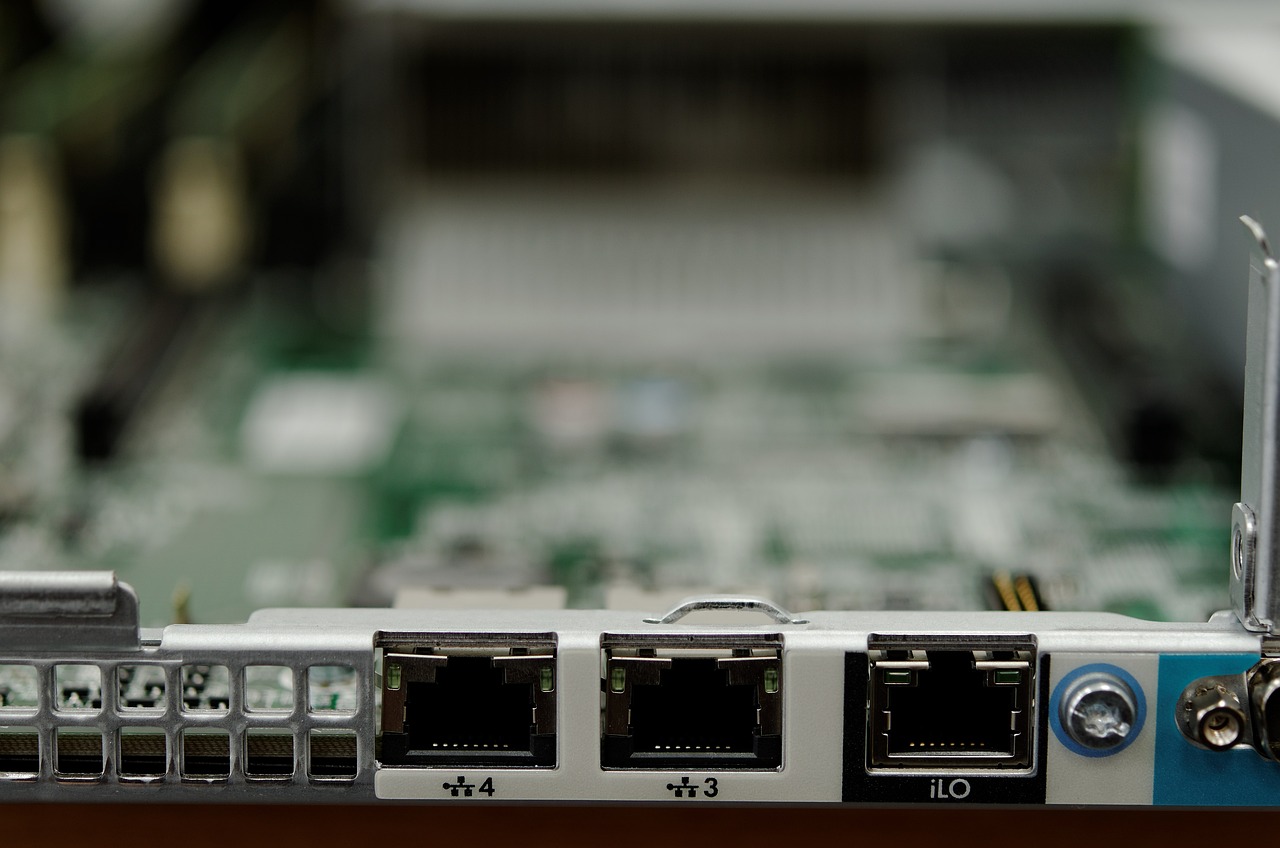
NICs can be wireless (to connect via WiFi) or wired (to connect via ethernet). NICs can be rated for different speeds, for example: a Ethernet NIC could be capable of different maximum speeds: 10 MB/s 100 MB/s , 1 GB/s, 10 GB/s , etc.
Switch
A network switch is used to connect devices together and it is often described as the central networking device. Devices are connected to a switch using Ethernet Cables. When a device sends data to another device, the data is received by the Switch and then directs that data to the device it is meant to.
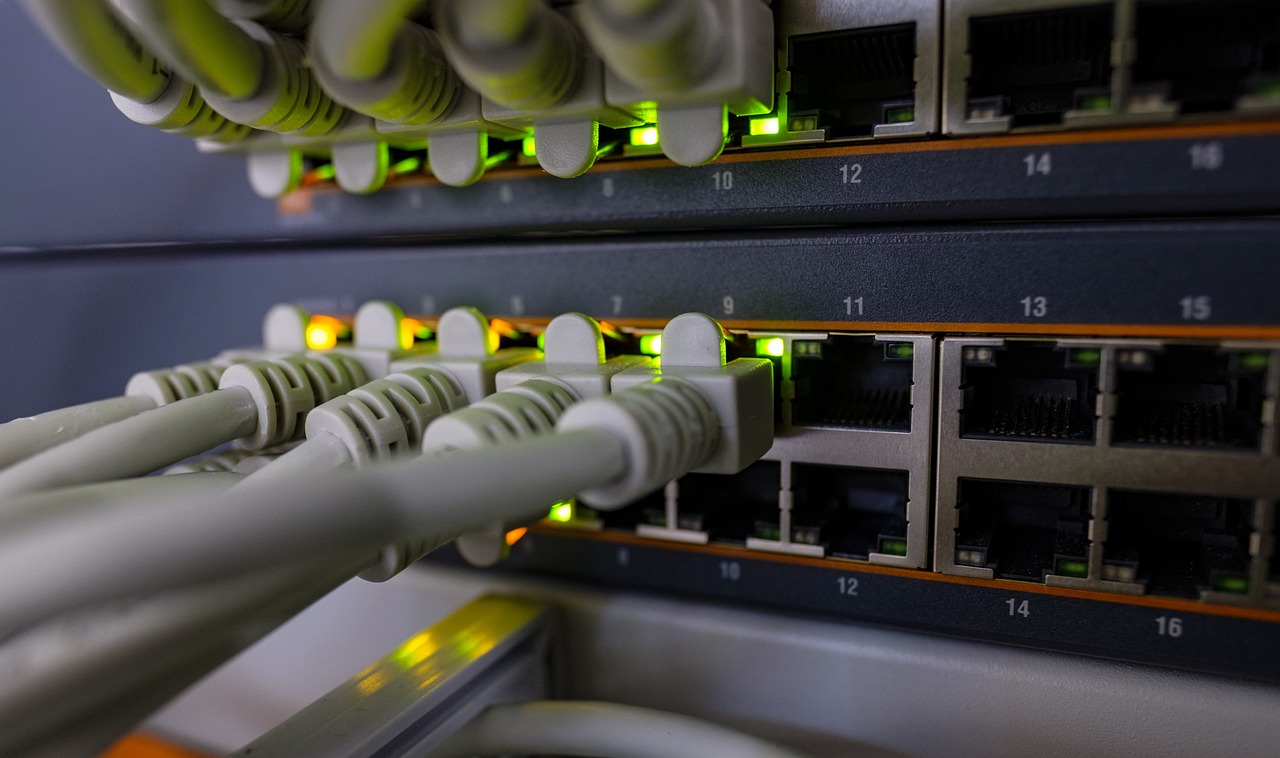
Switched make use of MAC addresses to direct network traffic.
Most run at 100MB/s (Megabit / second) or 1GB/s (Gigabit / second)
Router
Routers sit between two different networks and allow communication between them. Most often routers connect a LAN (Local Area Network) to the Internet (an example of a Wide Area Network)
Routers make use of IP Addresses to route data between networks.
Routers are a crucial internet device and transfer data packets between different privately owned networks that make up the internet
Wireless Access Points
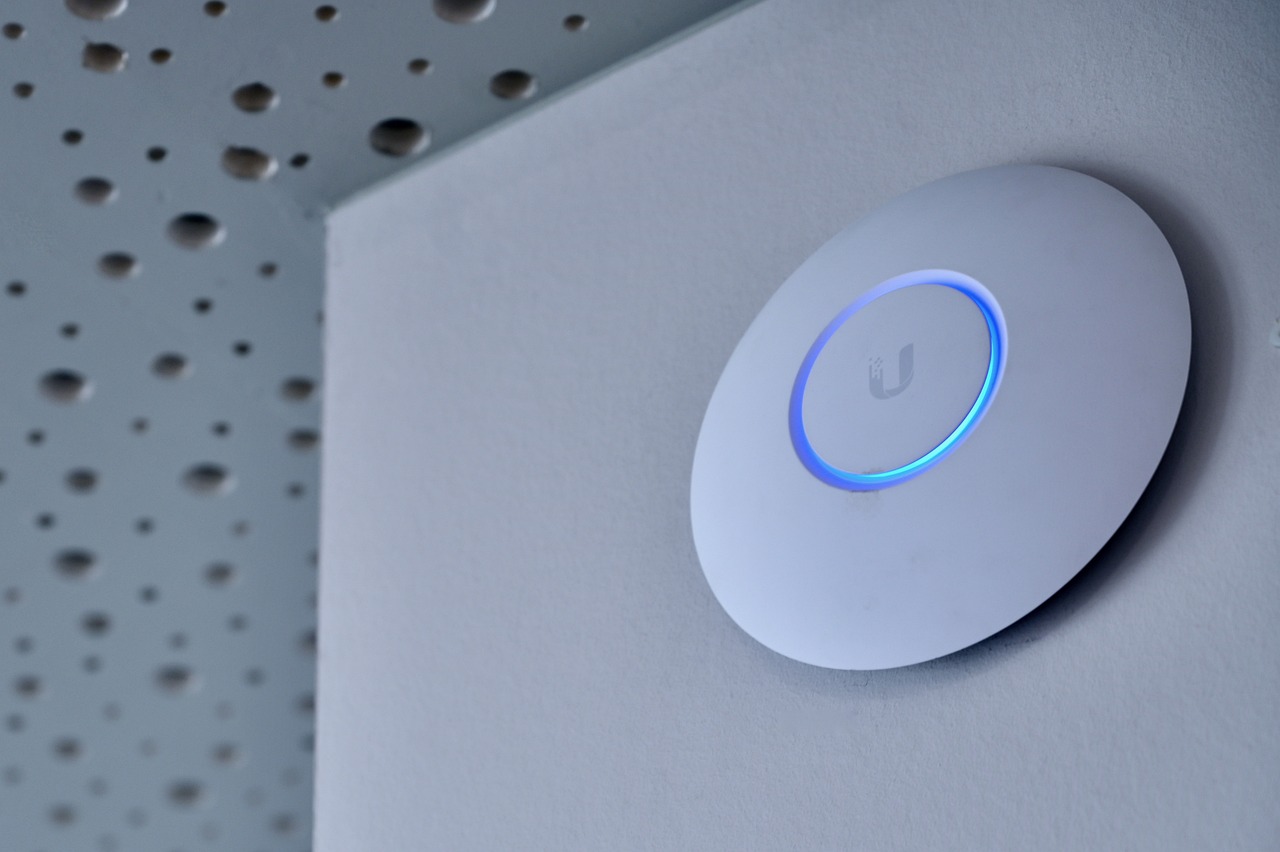
Wireless Access Points (WAP) allow devices to wirelessly connect to a network via WiFi. WAPs connect directly into a switch, and many can be powered directly over PoE (Power over Ethernet).
All the ways we can connect computer together can be categorised as Wired or Wireless
- Wired connections physically connect the computers together to transfer data
- Wireless connections use radio frequencies to transfer data without a physical connection.
When picking or comparing connectivity methods we need to consider: Speed / Bandwidth, Range, Latency
Wired connections make use of cables and there are two main types: Copper Cables and Fibre-optic Cables.
Copper cables
Copper cables are the most common type of cable. Pulses of electricity are used to transmit data (as 1s and 0s).
- Speed / Bandwidth: most wired copper connections used on a LAN will be capable of providing 100MB/s - 1GB/s bandwidth
- Range: ~ 100m, after which the electrical signal will need to be repeated and re-amplified
- Latency: Higher than that of a fibre-optic cable
The most common copper cable used in networking is the CAT 5 / CAT 6 cable, which is often simply referred to as an Ethernet Cable. Copper cabling is most commonly used due to being inexpensive and having a wide compatability.
Fibre-optic Cables
Fibre-optic cables are becoming more common, especially in WANs. They use pulses of light to transmit data.
- Speed / Bandwidth: capable of providing large amounts of bandwidth, greater than that of a copper cable.
- Range: many miles. Due to total internet reflection, the light signals sent down a fibre-optic cable can travel many miles without error.
- Latency: Less than that of a copper cable
They provide greater bandwidth, range and latency than copper cables, but are generally too expensive to be used on LANs.
Broadband
Over the past 10 years Internet Service Providers (ISPs) have been upgrading their networks replacing copper cabling for fibre-optic cabling to provide higher performance broadband.
There are two approaches:
- FTTC (Fibre to the Cabinet): Fibre-optic cabling is laid to the cabinet, and copper cabling is then used to connect the cabinet to the property
- FTTP – Fibre to the Property: Fibre-optic cabling is laid to the cabinet, and fibre cable is laid from the cabinet to the property.
Fibre to the property is more expensive and is more likely to be used by business.
Microwaves and Radio waves are used to transmit binary data. The binary data is represented by pulses of electromagnetic frequency.
WiFi and Bluetooth are the most common protocols for transmitting data wirelessly, however newer protocols have appeared in recent times such as Thread and Zigbee which have become popular in low power home automation. These protocols set the rules for how data is sent and received by devices.
The main benefit of using wireless connections is the convinenece of not having to be tethered by a cable.
Limitations of Wireless Connections
While wireless connections are convienent there are many limitations:
- Range: While a wired connection can carry a signal at least 100m over CAT 5 / CAT 6 and much further over fibre-optic cables, the most common methods of wireless networking have shorter ranges. WiFi has a limit of 30m and lower power protocols like Bluetooth has an even shorter range.
- Bandwidth: More recent versions of WiFi boast bandwidth figures greater than that of wired connections, however in reality the amount of bandwidth available is much lower and less than that of a wired connection in almost all situations.
- Interference: Wireless connections are suseptable to interference from other wireless connections and frequencies in the imediate area. This interference may require error correction or that data packets to be resent. The more common frequencies such as 2.4GHz that is used by WiFi and Bluetooth experience interference from Microwave ovens and baby monitors which also make use of 2.4GHz frequencies.
- Absorption, Reflection and Refraction: Wireless signals can be absorped, reflected and refracted when they come into contact with different physcal materials. This can result limited range and areas of buildings where devices cannot connect to the network.
Wirless Local Area Networks (WLAN)
WLANs make use of Wireless Access Points (WAP) – these are devices which allow wireless devices to join a LAN using WiFi.
At home your WAP is integrated into a multi-function devices commonly referred to as the "router”.
In commercial settings a WAP is a separate device. In larger buildings a network may have many WAPs in order to provide wider wireless network coverage.
Other forms of Wireless Connections
While WiFi and Bluetooth are the most widely known forms of Wireless Connections, there are a range of other technologies we use in our daily lives.
- RFID (Radio Frequency Identification): A short form of wireless communication (usually >10cm). This technology is often used in ID cards to open electronically locked doors and with contactless debit and credit cards. RFID is unidirectional with data being read off the RFID chip.
- NFC (Near Field Communication): Similar to RFID, however data can be sent bi-directionally and at faster rates. NFC can be used to share data between devices at short distances (again, usually > 10cm). NFC is used in mobile contactless payments: the terminal sends data to the smartphones NFC chip, and if authenticated by the user on the device the payment details are sent to the payment terminal.
- Zigbee: A 2.4GHz radio protocol used in smart home hardware to connect devices. Zigbee can be used to create mesh networks which allows devices to pass data on for devices which may be further away from the base station.
Topologies refer to how networks are physically set-up (how they are all connected with wires or wirelessly).
There are many topologies, many of which that are no longer used. We are going to cover 3 main ones covered by the different Computer Science specifications.
- Star
- Bus
- Mesh
Star Topology
On a star topology network all devices are connected to a central switch. A common misconception is that computer connect directly to a server, however servers connect to the switch just like every other device on the network.
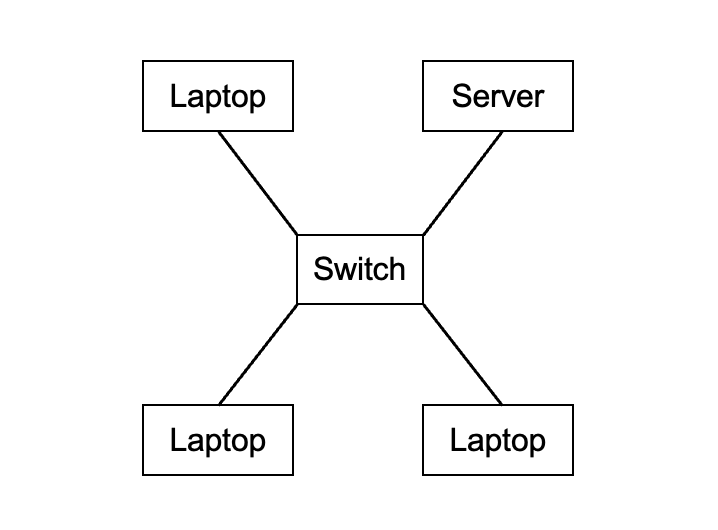
Computers can be connected via wires or wirelessly (when using a WAP).
Benefits
- If one computer fails, the rest of the network continues to function.
- Each computer has a dedicated line to the switch and doesn’t share its bandwidth with theother computer.
- Easy to add a computer to the network (new computers simply plugged into the switch using a cable)
Drawbacks
- Requires a switch, which can be expensive on larger networks
- Switch is a single point of failure (if it breaks down you don’t have a functional network).
Mesh Topology
On a mesh networks computers connect to each other without a switch, often making multiple connections to different computers.
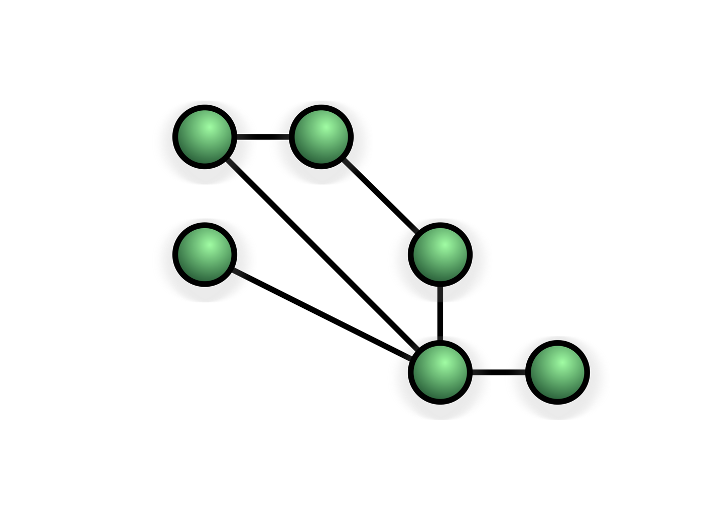
Sometimes all devices on the network will be connected to every other device (full mesh) and other times they connect through each other (partial mesh - shown above).
Benefits
- No single point of failure
- Computers failing will not impact data being sent to other computers
- Very reliable due to multiple routes to every computer
Drawbacks
- Expensive if connected with wires
- Cannot be set-up without an expert
- Difficult to maintain
Bus Topology
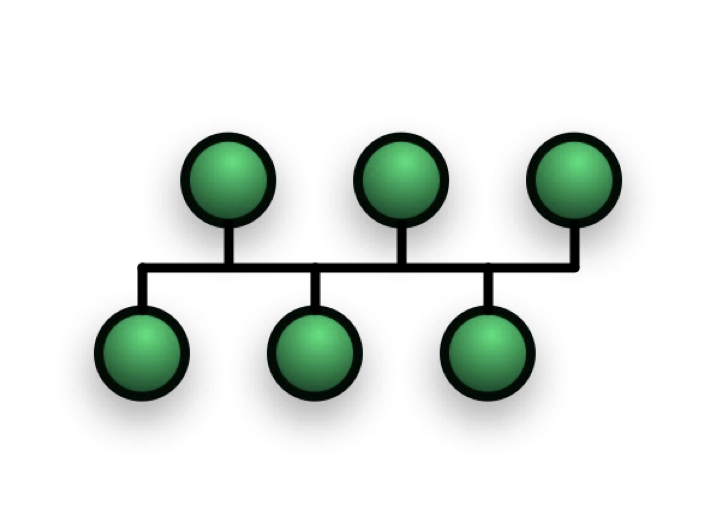
On a bus network all computers are connected to a single cable and at the end of the bus network cable is a terminator – this stops the signal on the cable being reflected back. This is an old topology which is no longer used – it has many disadvantages compared to modern topologies.
Benefits
- Easy to add a computer to the network
- Low cost – requires less cabling than a star or mesh topology network
Drawbacks
- All computers sharing the cable means that the network will not scale well with additional computers
- If there is a break in the bus network cable all of the computers will not be able to use the network
- Every computer on the network receives all data – this can be a security risk