Memory and Storage
Contents
Primary Memory is a computer's short term memory. Any applications running on a computer will be transferred to Primary Memory. Once an application is no longer running it will be removed from memory.

We refer to the Primary Memory is computers to as RAM (Random Access Memory). RAM is Volatile this means that in order to store data it needs power.
Upgradability
On some computers RAM can be upgraded. On newer computers and smaller devices RAM is often soldered directly to the motherboard and cannot be upgraded.
Errors
Sometimes if a computer has an issue turning it on and off solves the issue because it clears the RAM where the issue may have been.
Why do we need RAM?
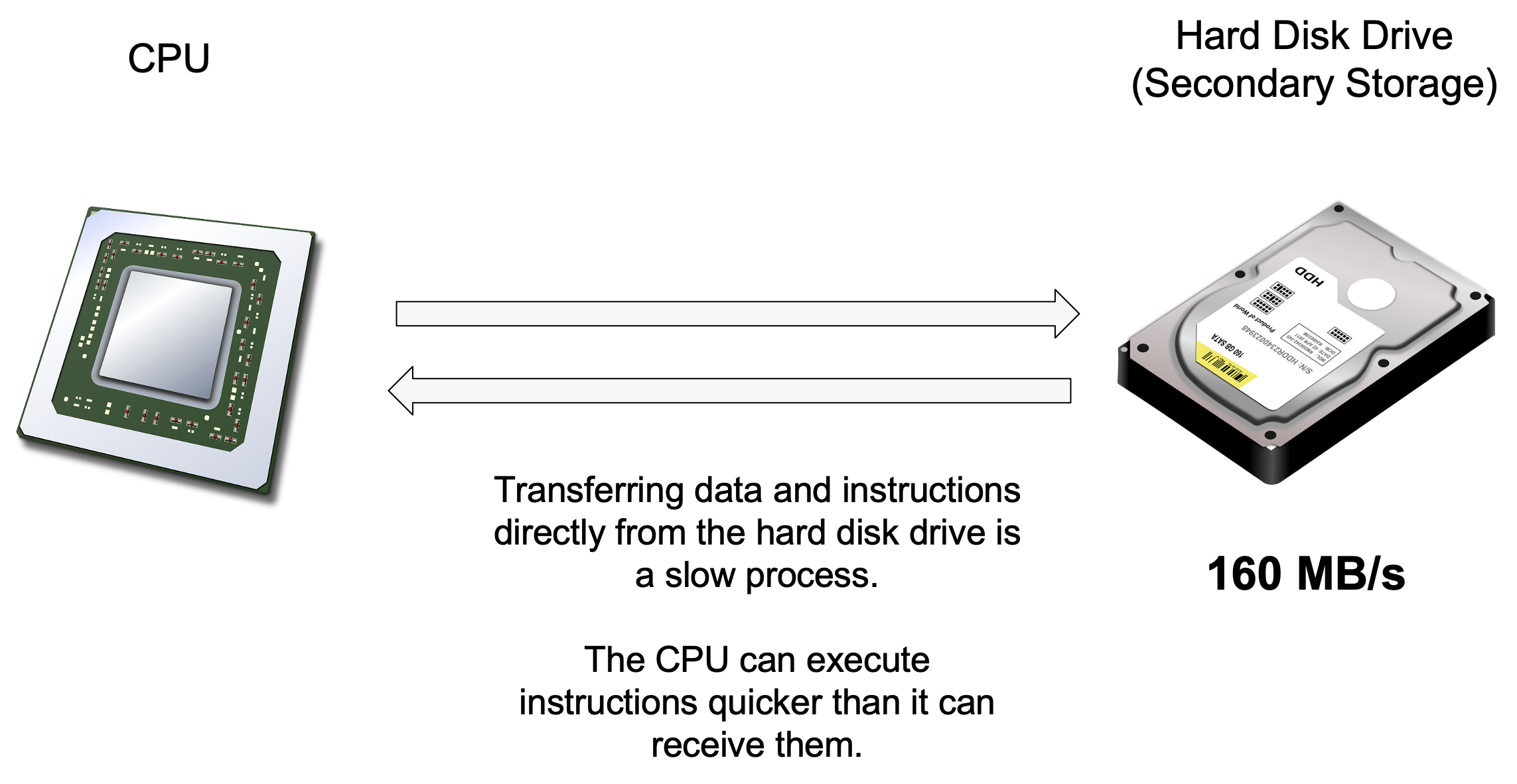
The CPU processes instructions and executes instructions. We must get the data and instructions to the CPU, and if we can’t do this fast enough the CPU will “idle” and not have anything to do.
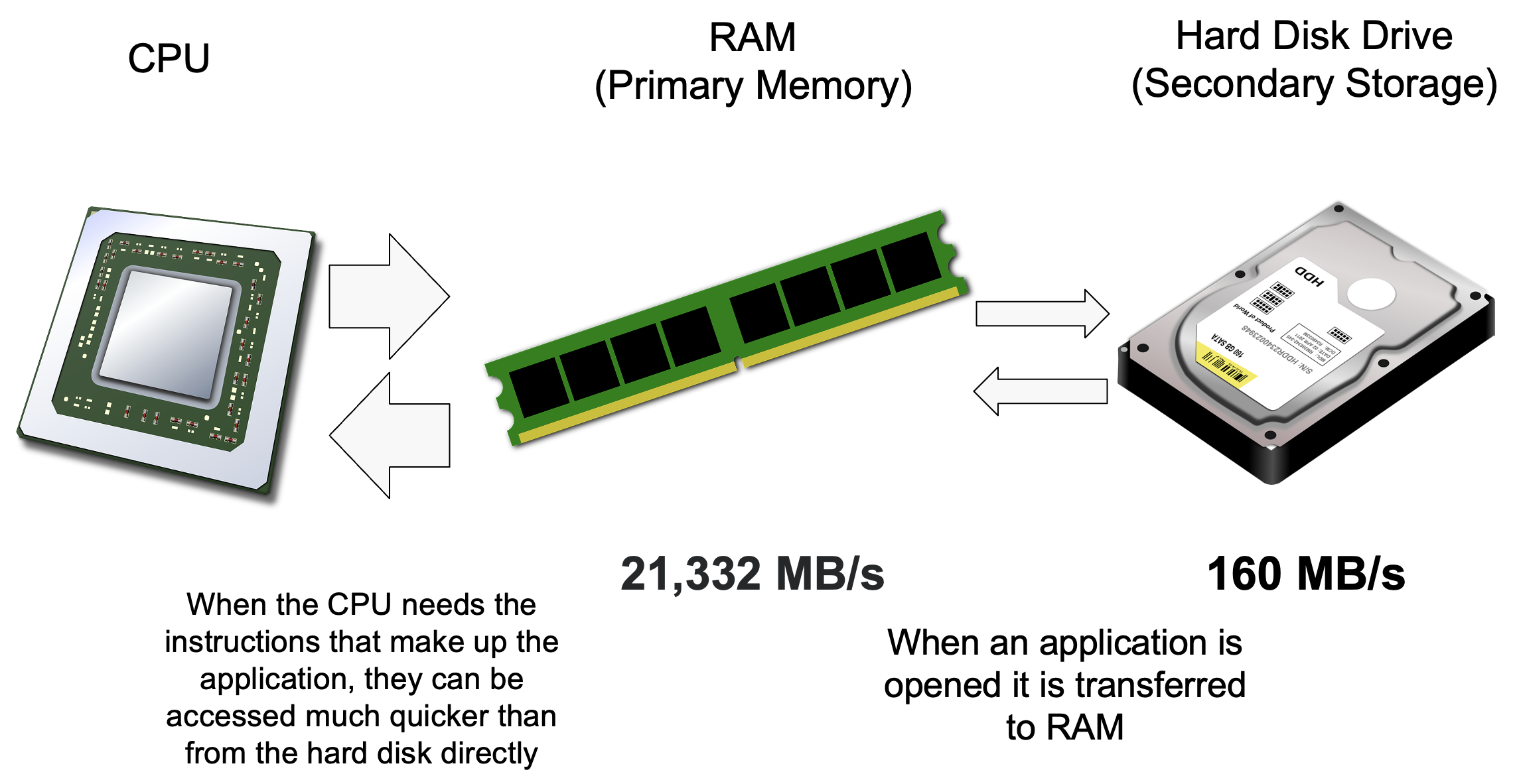
Instructions and data are stored long term on secondary storage but accessing them directly from secondary storage can be a slow process. RAM on the other hand is much faster than secondary storage, but cannot store as much data.
Pre-loading the data and instructions into RAM allows the CPU to access them faster and can reduce possible bottlenecks.
Secondary Storage devices are used for long term storage of data.
All secondary storage devices are non-volatile, which means that they don't require power to continue to store data. They typically store significantly more data than primary memory, but are much slower for reading / writing data.
All secondary storage devices can be categorized into one of three classes, each has their own advantages and disadvantages:
Optical
|
Factor |
Details |
|
How it works |
Laser burns pits into a layer of dye on the surface of a disk. The laser reflects from the areas where there are no pits, land, (1s) and will not from where there are pits (0s) |
|
Capacity |
Low |
|
Read/Write speed |
Slow (especially during random read) |
|
Portability |
Portable, but can be scratched |
|
Examples |
CD, DVD, BluRay |
Magnetic
|
Factor |
Details |
|
How it works |
The disk is covered in a substance that can be magnetised. A magnetic head writes 1s and 0s to the surface using ‘North” and “South” |
|
Capacity |
Highest |
|
Read/Write speed |
Medium speed Data can be read / write in a random way (HDD) |
|
Portability |
Can be portable, but are comparatively large, can be damaged easily |
|
Examples |
Hard Disk Drive, MagneticTape |
Solid State / Flash
|
Factor |
Details |
|
How it works |
Uses NAND transistors, traps electrical currents into “pools”. A full pool is a 1, an empty pool is 0 |
|
Capacity |
Medium (high £ per GiB, but maximum capacity can be high) |
|
Read/Write speed |
Fastest |
|
Portability |
Can be small / portable, Fast data storage, Durable |
|
Examples |
SSD, USB Flash Drive, Build in Flash Storage, SD Card |