Truth tables
Intermediate Columns in Truth Tables
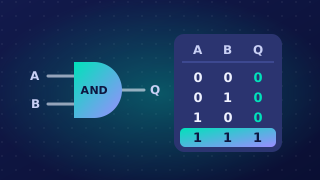
When an expression mixes several operators, a truth table can show the working rather than only the answer. Each intermediate column holds the value of one sub-expression, so the final column only combines values you have already worked out.
Order of working
- List every input combination, one per row.
- Choose your columns from the brackets and operator precedence: brackets first, then NOT, then AND, then OR.
- Fill one intermediate column completely before starting the next.
- Work out the final output last, reading across each row.
For example, a school greenhouse has a motor that opens the roof vent. It runs when the air is too warm OR too damp, but only when the vent is not already open. With A = too warm, B = too damp and C = vent already open, the rule is Q = (A OR B) AND NOT C. The bracketed OR gives you the first intermediate column, and the NOT gives you the second.
| A | B | C | A OR B | NOT C | (A OR B) AND NOT C |
|---|---|---|---|---|---|
| 0 | 0 | 0 | 0 | 1 | 0 |
| 0 | 0 | 1 | 0 | 0 | 0 |
| 0 | 1 | 0 | 1 | 1 | 1 |
| 0 | 1 | 1 | 1 | 0 | 0 |
| 1 | 0 | 0 | 1 | 1 | 1 |
| 1 | 0 | 1 | 1 | 0 | 0 |
| 1 | 1 | 0 | 1 | 1 | 1 |
| 1 | 1 | 1 | 1 | 0 | 0 |
The last column may be headed with the full expression, as above, or with an output letter such as Q. Either is fine as long as the heading matches what the column contains.
Intermediate columns keep each step visible, so a slip is easy to spot and fix before it affects the final answer.
Practise this
Edexcel GCSE Computer Science · Truth tables