Preventing Network Security Risks
User Access Levels
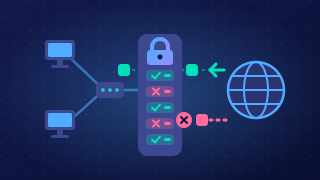
Access control restricts who can use a system and what they can do. It is more than logging in: logging in checks who you are, but access control also decides which parts of the system your account may use.
Each user account has access permissions attached to it. The operating system checks these permissions whenever you try to open, change, move or delete something. If your account does not have the right permission, the action is refused. This protects files from being seen or altered by people who should not have them.
Rights at three levels
User access levels are the sets of rights given to accounts. These rights can be set on a whole disk, on a folder, or on an individual file.
| Level | Example right | What it affects |
|---|---|---|
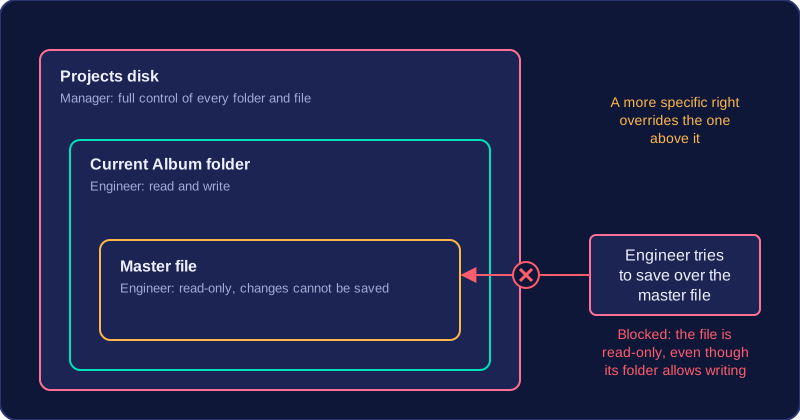
| Disk | Full control | Every folder and file on that disk, unless a more specific permission overrides it |
| Folder | Read and write | The folder and the files inside it |
| File | Read-only | One file only; changes cannot be saved |
A small recording studio stores its work on a shared Projects disk. The manager account has full control of the disk. An engineer account can read and write inside the Current Album folder, but the finished master file is read-only for engineers. A visitor account can read the Samples folder but cannot open the Current Album folder. When an engineer tries to save over the master file, the operating system blocks it because that file's permission does not allow writing, even though the Current Album folder does. Setting only the rights each person needs limits accidental damage and makes it harder for someone to tamper with work that is not theirs.
Practise this
Edexcel GCSE Computer Science · Preventing Network Security Risks