Images
RGB Colour

Every colour a screen shows is made by mixing red, green and blue light. In an RGB image, a pixel's colour is stored as three separate values — how much red, how much green and how much blue — and each value is held in its own group of bits.
Splitting the bits into three groups
The bits stored for a pixel are chopped into three groups in a fixed order: red first, then green, then blue. Each group is just a binary number, so it records how strong that component should be. A group of all 0s means none of that colour, and a group of all 1s means as much of it as possible.
Adding up the bits in the three groups gives the colour depth for that pixel.
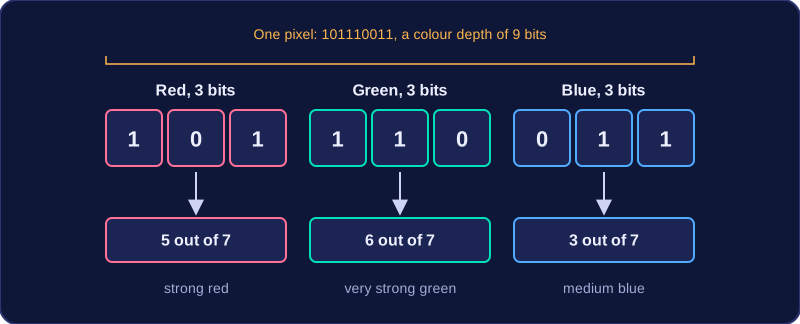
| Component | Bits | Binary value | Strength | Effect on the pixel |
|---|---|---|---|---|
| Red | 3 | 101 | 5 out of 7 | strong red |
| Green | 3 | 110 | 6 out of 7 | very strong green |
| Blue | 3 | 011 | 3 out of 7 | medium blue |
That pixel is stored as 101110011, so its colour depth is 9 bits: 3 for red, 3 for green and 3 for blue. Red and green are both high while blue is lower, so the pixel looks yellow-green.
Why three groups?
Your eye detects colour with three kinds of sensor, so any shade can be built from different amounts of red, green and blue light. With 3 bits per group each component has eight possible strengths, so the steps between shades are fairly wide. Giving a group more bits creates finer steps in that component, so the mix can be matched more closely.
When every bit in all three groups is 0 the pixel is black; when every bit is 1 all three components are at full strength, which gives white. The groups do not have to be the same size — a system could use 5 bits for red, 4 for green and 3 for blue.
Practise this
Edexcel GCSE Computer Science · Images