Data Level Protection
Firewalls
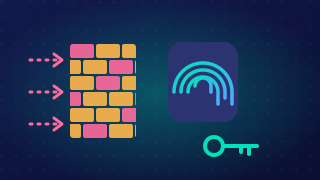
A firewall is a hardware or software security system that monitors and controls the network traffic going in and out of a network or a single device. All traffic passes through it, so it acts as an early barrier against attacks from outside.
Hardware or software
| Hardware firewall | Software firewall | |
|---|---|---|
| What it is | A separate physical device placed where a network joins the outside world | A program installed on one device, such as a laptop |
| What it protects | Every device on the network | Only the device it is installed on |
| Example | A physical firewall unit in a dental surgery's communications cupboard, filtering traffic for all the surgery's computers | The firewall built into a tablet's operating system |
Filtering traffic with rules
Firewalls decide what to do with each connection by following rules. An Access Control List (ACL) is a set of rules setting out which traffic is allowed and which is blocked. An allowlist permits only the traffic listed on it and blocks everything else, while a denylist blocks the traffic listed on it and lets everything else through. Rules often check IP addresses and port numbers, so a firewall can block connections from IP addresses it does not trust and other unexpected connections, preventing unauthorised access. A firewall can also alert you to unusual or suspicious activity, such as repeated failed connection attempts, so that you can investigate.
For example, a community cinema's ticket kiosk runs a software firewall. Its allowlist contains only the IP address and port used by the cinema's booking server. If an unauthorised program on the kiosk tries to contact an unfamiliar IP address, the firewall blocks the connection and displays a warning.
Keeping it current
New attacks appear all the time, so firewall software and its rules need regular updating, for example by turning on automatic updates. This keeps the firewall able to recognise recently discovered dangers.
A firewall filters network traffic, but it does not scan files for malware or remove viruses; that is the job of anti-virus software.
Practise this
Pearson BTEC Digital Information Technology · Data level protection