Count-Controlled Iteration
Range Defaults and Steps

In a range(), you don't have to give all the values. A single value does two jobs at once: it becomes the stop, and the start is set to 0. So range(6) is the same as range(0, 6), and both count 0, 1, 2, 3, 4, 5 with a step of 1.
Because the stop is never included, a loop that should finish on a particular number must stop one beyond it. To count up by one through 1 to 6, write range(1, 7). The loop keeps running while the next value is still on the start's side of the stop, and ends as soon as the next value would land on the stop or go past it.
Adding a step
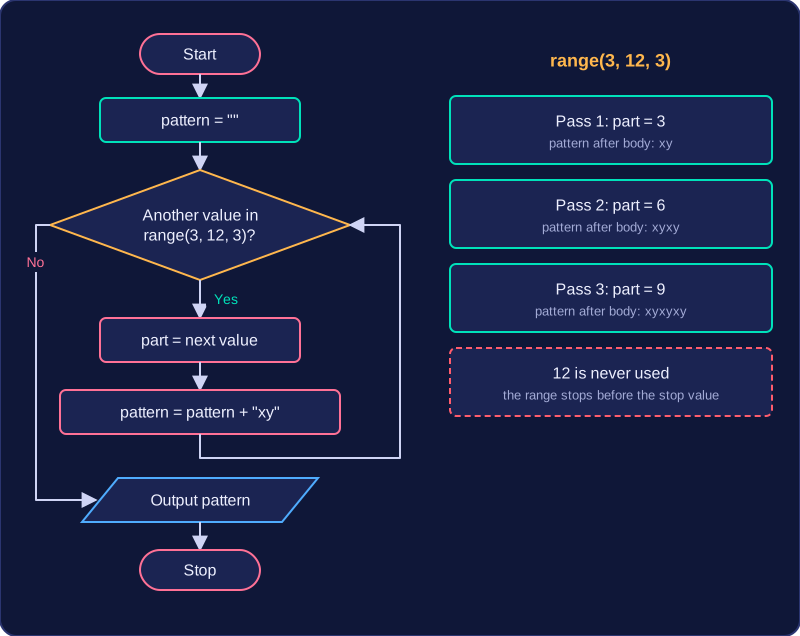
A third value is the step: how much the loop variable changes each time. A positive step counts up, a negative step counts down. A step of 0 is not allowed, because the loop variable would never move towards the stop, so Python reports an error instead of running the loop.
| Range | Values taken |
|---|---|
range(3) | 0, 1, 2 |
range(4, 10, 3) | 4, 7 |
range(9, 2, -2) | 9, 7, 5, 3 |
range(7, 7) | none |
In the third row the step is negative, so the stop must be less than the start for anything to happen. If you wrote range(3, 9, -2) the first value is already below the stop and no values are produced. A range that produces no values is not an error: the loop body is simply skipped and the program carries on with the next line.
for shelf in range(1, 5):
    print("Checking shelf", shelf)
print("All shelves checked")
Output:
Checking shelf 1
Checking shelf 2
Checking shelf 3
Checking shelf 4
All shelves checked
The loop above runs four times, with shelf taking the values 1, 2, 3 and 4. The value 5 is the stop, so it is never used. The last message sits outside the loop, so it runs once, after every shelf has been checked.
Practise this
OCR GCSE Computer Science · Count-Controlled Iteration