Casting
String Conversion
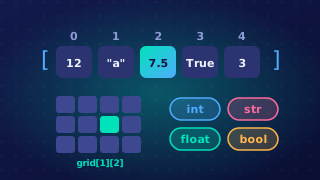
The str function converts a value into its string representation: the text form of that value. You use it when a number or Boolean needs to become text, usually so it can be joined to other text.
Turning values into text
str works on an integer, a real number or a Boolean. It returns a new string that looks like the original value, but it is text. For example, the integer 37 becomes the string "37", the real number 2.75 becomes "2.75", and the Boolean False becomes "False".
| Value | Type | String produced |
|---|---|---|
| 37 | Integer | "37" |
| 2.75 | Real number | "2.75" |
| False | Boolean | "False" |
Why concatenation needs str
The + operator joins two strings together, but it cannot join a string to a number. If you try to add text such as "Score: " to the integer 18, Python cannot make one string and the program stops with a runtime error. You must convert the number with str first, then join the resulting string to the text.
A print call with comma-separated arguments is different. It displays the arguments as separate items and does not build one concatenated string. To make one string, join the pieces with + and use str on any number or Boolean.
Worked example
This program builds a single report string from a team name, an integer, a real number and a Boolean.
team = input("Enter team name: ")
points = int(input("Enter points: "))
average = float(input("Enter average score: "))
captain = True
report = team + " scored " + str(points) + " points"
report = report + " with an average of " + str(average)
print(report)
print("Captain present: " + str(captain))
Output when the user types Falcons, 23, 4.5:
Enter team name: Falcons
Enter points: 23
Enter average score: 4.5
Falcons scored 23 points with an average of 4.5
Captain present: True
Each str call changes a non-string value into text before the + joins it to the rest of the report.
Practise this
Edexcel GCSE Computer Science · Casting
Edexcel GCSE Computer Science · Print Function