Units & Conversion
Constructing File Size Expressions
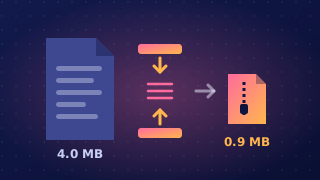
A file size or data capacity requirement can be left as an expression: a calculation showing the quantities and conversion factors, rather than a single final value. This keeps the method visible and lets you use the units a question asks for.
Group the calculation correctly
Use brackets or a clear fraction layout so each operation applies to the right part of the expression. A short animation of 480 frames, each 786,432 bits, is (480 × 786432) / (8 × 1024^2) mebibytes. The brackets show that both the 8 and the 1024^2 divide the whole frame total, which keeps the order of operations clear. Writing 480 × 786432 / 8 × 1024^2 instead works left to right: it divides by 8 and then multiplies by 1024^2, so the answer comes out far too large.
Add extra data outside the fraction
If a requirement stores extra data on top of the main files, such as a header or an index, add it to the whole size after converting bits to bytes. A fitness tracker stores 96,000 readings at 10 bits each, plus a 2,000-byte header, so its size in bytes is:
(96000 × 10) / 8 + 2000
The header is added once, after the division by 8, because it is already counted in bytes. Writing ((96000 × 10) + 2000) / 8 would divide the header by 8 as well, so it would no longer count as 2,000 bytes.
Match the units to the factors
Use the conversion factor that matches the unit in the question. Storage uses binary multiples: a kibibyte is 1024 bytes (not 1000), a mebibyte is 1024^2 bytes, a gibibyte is 1024^3 bytes and a tebibyte is 1024^4 bytes. Decimal prefixes are different sizes, so 1024^2 belongs with mebibytes and 1000^2 with megabits. If an answer must be in kibibytes, divide the whole byte total by 1024: ((96000 × 10) / 8 + 2000) / 1024.
Practise this
Edexcel GCSE Computer Science · Units & Conversion
Edexcel GCSE Computer Science · Network Speed