Adding Binary Numbers
Adding Binary Numbers
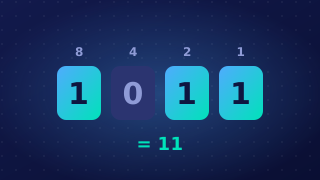
Adding two binary numbers works in the same way as column addition with denary: write the numbers one above the other so the place values line up, then add one column at a time, starting at the rightmost bit (the 1s column) and moving left.
The rules for a single column
Each column holds only 1s and 0s, so there are just four single-bit cases when nothing is carried in. The answer to 1 + 1 is the surprising one: you cannot write 2 in binary, so the column drops back to 0 and you carry 1 into the column on its left, where it is worth 2.
| Bits in the column | Write down | Carry to the next column left |
|---|---|---|
| 0 + 0 | 0 | 0 |
| 0 + 1 | 1 | 0 |
| 1 + 0 | 1 | 0 |
| 1 + 1 | 0 | 1 |
| 1 + 1 + 1 | 1 | 1 |
The last row matters because a column may already have a carry sitting above it, giving three bits to add. Work through it: 1 + 1 makes 0 carry 1, and adding the third 1 turns that 0 back into 1, still carrying 1.
Keeping track of carries
Write each carry in a row above the numbers, positioned over the next column to the left, so you cannot forget it. If a carry travels through several columns in a row, the row above fills with 1s, and each of those columns needs its carry included when you add it.
A worked 8-bit example
Add 01011010 (90) and 00110110 (54), using the place values 128 down to 1 as the column headings.
| Row | 128 | 64 | 32 | 16 | 8 | 4 | 2 | 1 |
|---|---|---|---|---|---|---|---|---|
| Carry | 1 | 1 | 1 | 1 | 1 | 1 | 0 | 0 |
| Number A | 0 | 1 | 0 | 1 | 1 | 0 | 1 | 0 |
| Number B | 0 | 0 | 1 | 1 | 0 | 1 | 1 | 0 |
| Result | 1 | 0 | 0 | 1 | 0 | 0 | 0 | 0 |
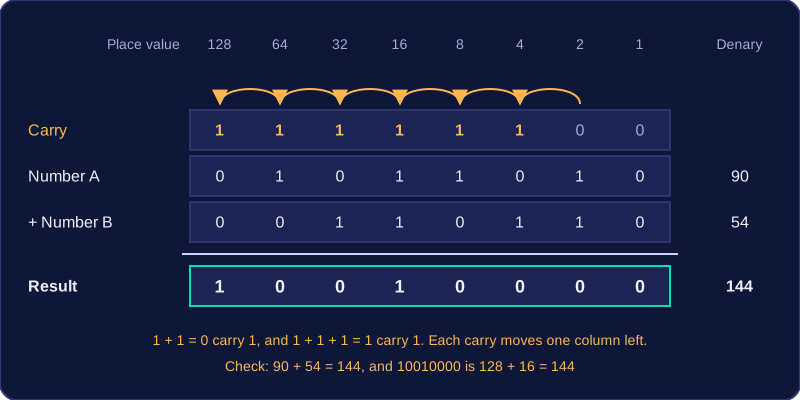
Reading the result row gives 10010000, which is 128 + 16 = 144. The denary check confirms it, because 90 + 54 = 144. Converting your answer back to denary like this is the quickest way to spot a carry you missed.
A carry leaving the 128 column has no column of its own inside eight bits; that situation is called overflow and is covered in Overflow in Binary Addition.
Practise this
Edexcel GCSE Computer Science · Adding Binary Numbers