Pupils can now build a computer network on screen, send a message across it and watch exactly where it goes. The Network builder is free, works in the browser and needs no account.
Build it
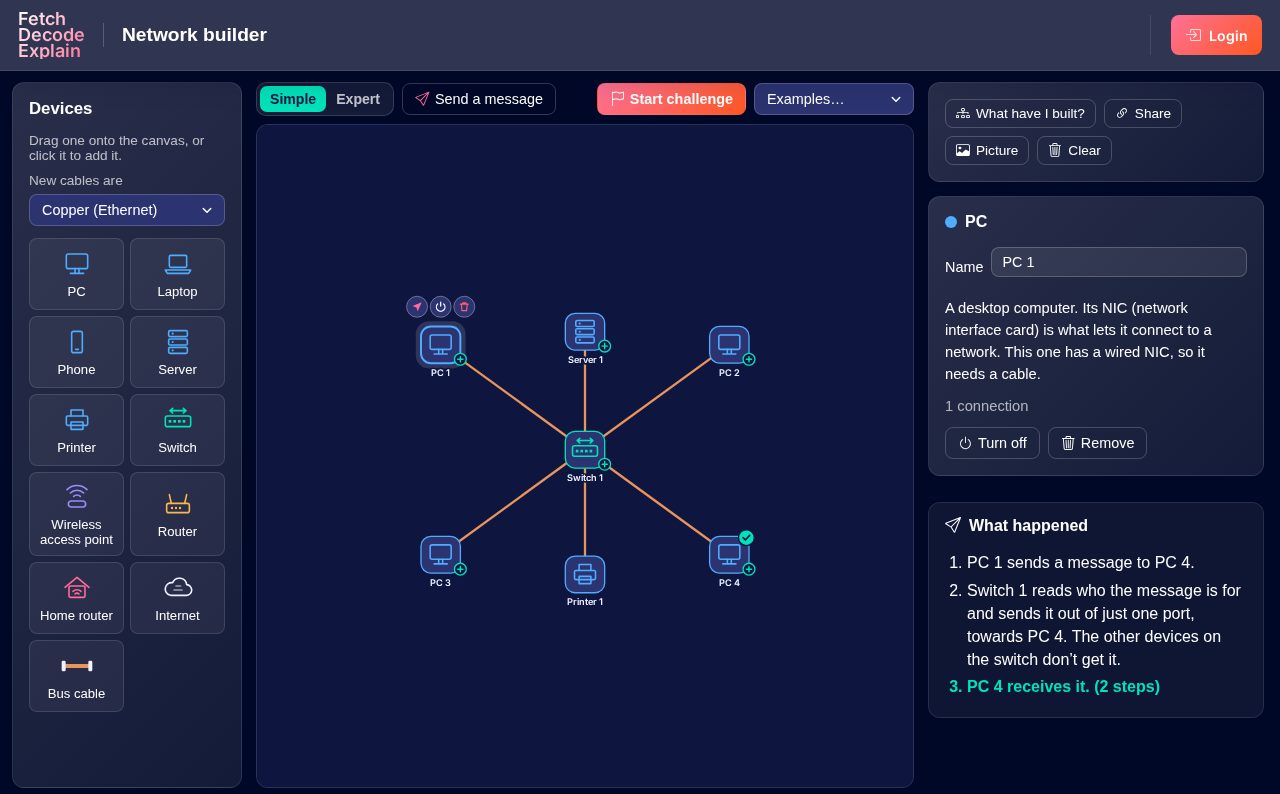
- Drag devices onto the canvas: PCs, laptops, phones, servers, printers, switches, wireless access points, routers, home routers, a bus cable and the Internet.
- Connect them with copper or fibre cables. Laptops, phones and printers join a wireless access point or home router by Wi-Fi.
- Only the hardware the specifications name. There are no hubs or modems, so it matches OCR J277, Edexcel GCSE Computer Science and KS3.
Send a message, then break things
- Watch the route. Each step is explained: the switch sends it out of just one port, the router passes it onto the Internet, and everyone on a bus receives it.
- Cut a cable or turn a device off and send again. Turn off the switch in a star and nothing gets through: it's a single point of failure. Cut a cable in a mesh and the message finds another way.
- Cables make a difference. Messages move fastest over fibre and slowest over Wi-Fi, showing what bandwidth means.
- What have I built? names the topology (star, bus or mesh) with its advantages and disadvantages.
Expert mode
Switch to Expert to see what happens behind the scenes:
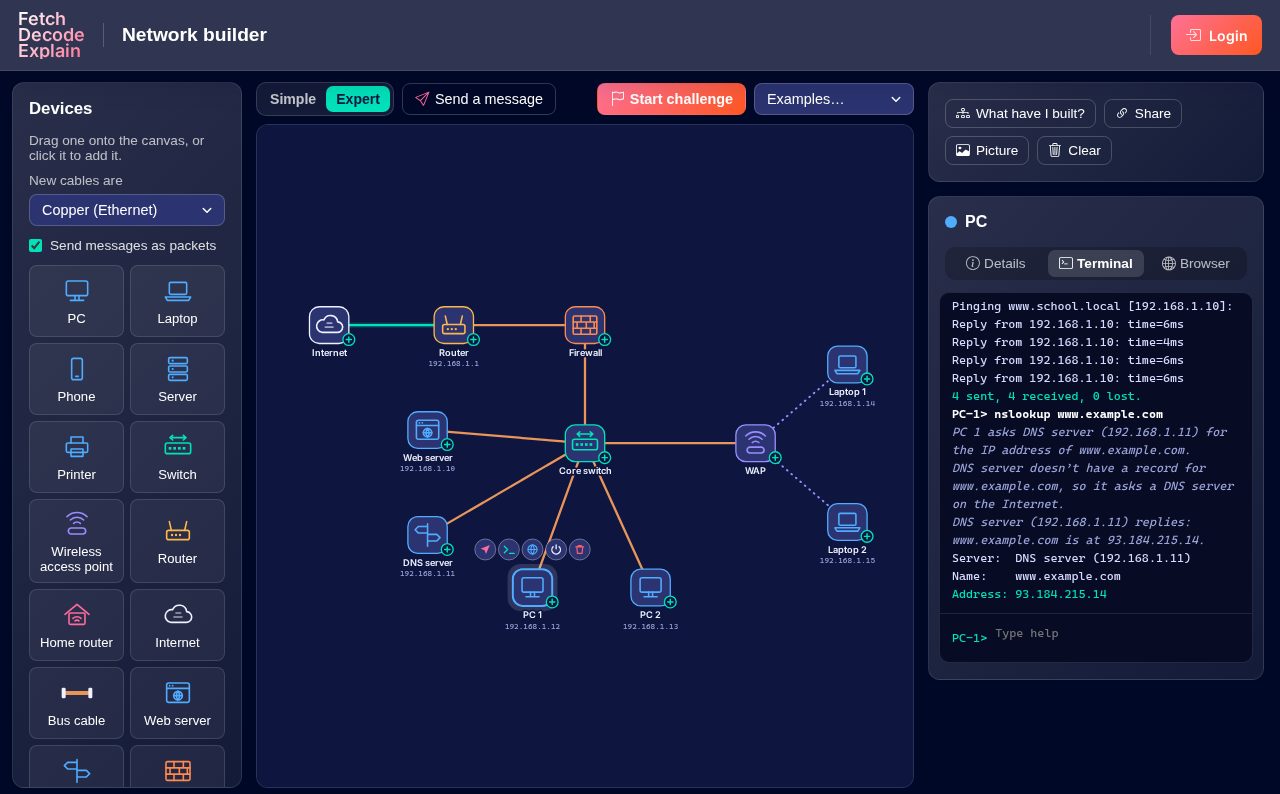
- IP and MAC addresses on every device, worked out from how the network is laid out.
- A terminal on each computer, with ping, tracert, ipconfig and nslookup.
- A web browser that asks a DNS server for the address, then fetches the page from a web server. Pupils can write the page themselves, and try HTTPS.
- Firewalls with rules for ping, web pages, DNS and other messages, so pupils can see what gets blocked and why.
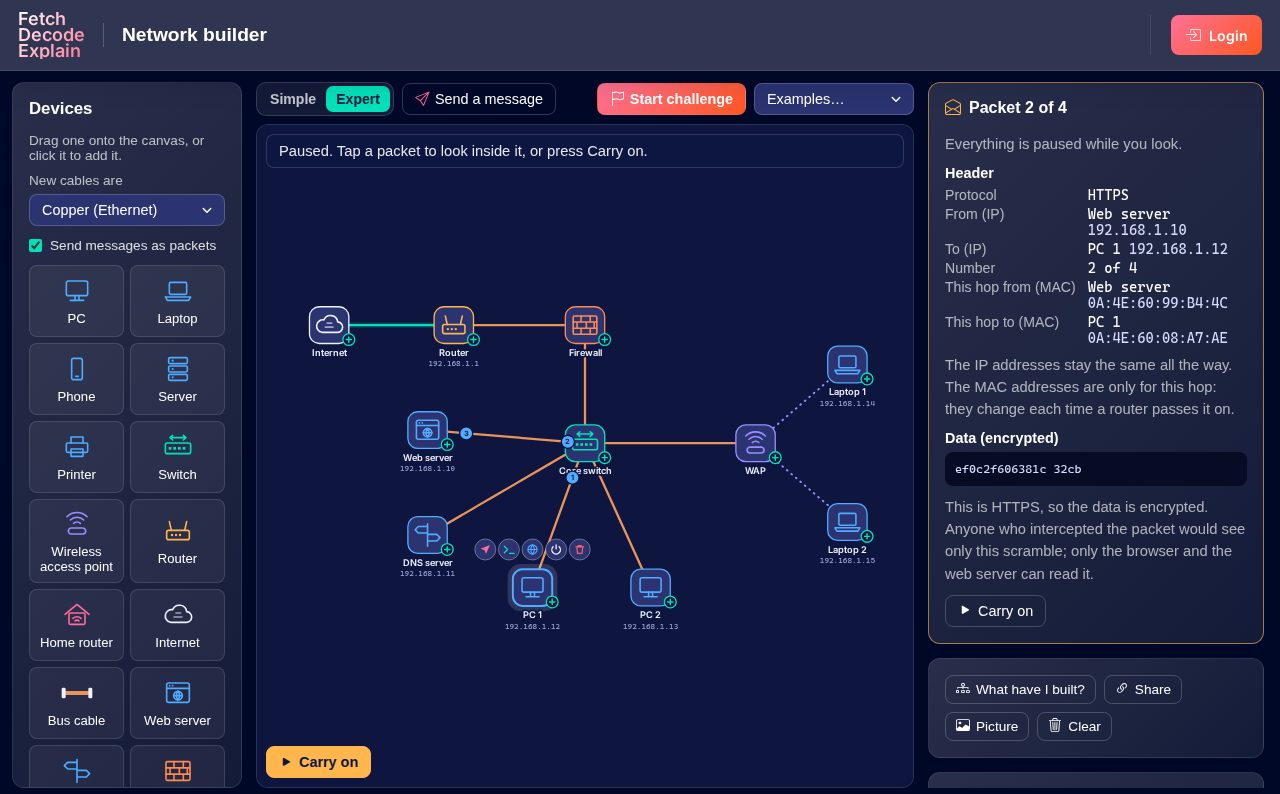
- Packets. Messages are split into numbered packets that can take different routes and arrive out of order. Press Pause and tap a packet to look inside: its IP and MAC addresses, its number and its data, scrambled if it's encrypted.
Challenges
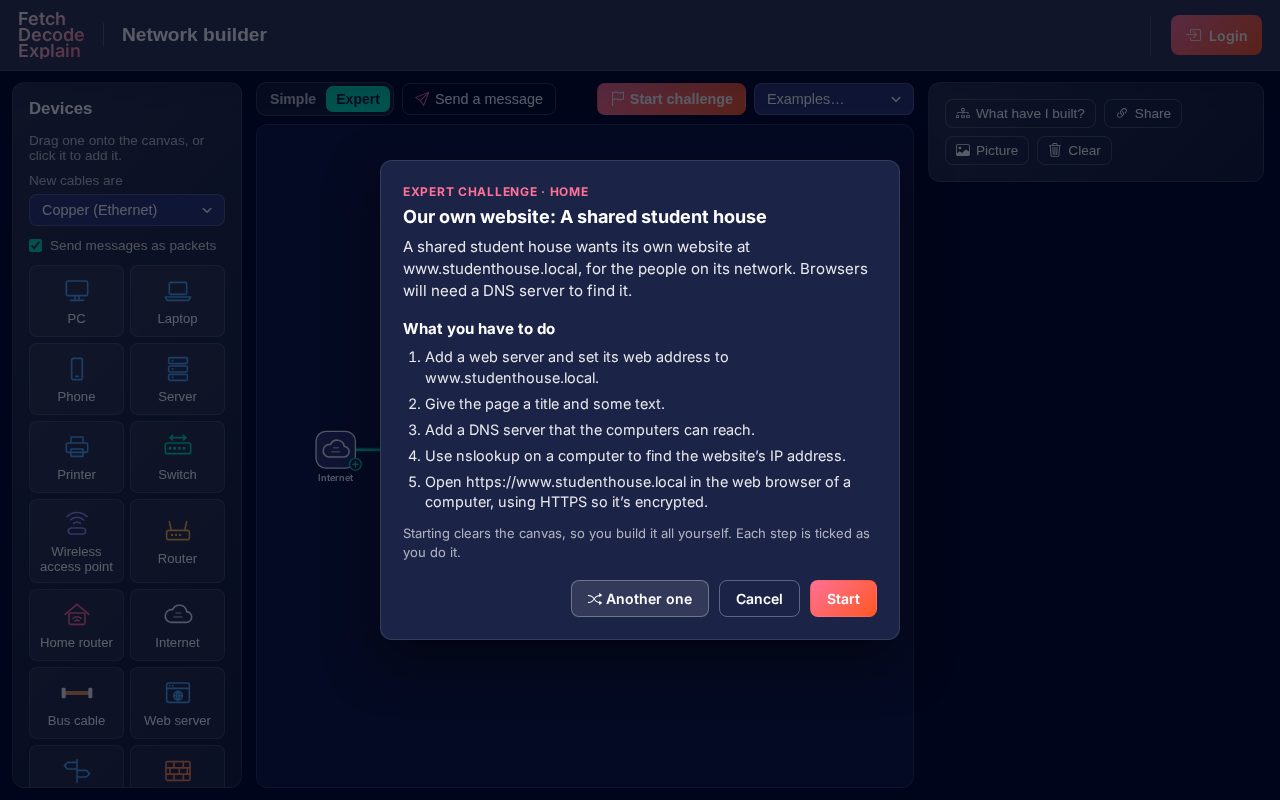
Start challenge gives pupils something to build for a home, a school or a business, with a different mix of devices each time. There are five kinds in each mode, from wiring up a star network to tracking down a fault with ping and nslookup and fixing it. Each step ticks off as they do it.
In lessons
- Share copies a link to the network on screen. Send pupils a network to fix or extend, or have them send back what they built. Everyone who opens the link gets their own copy to change.
- Picture downloads the diagram as an image for worksheets and slides.
- Networks are kept in each pupil's own browser, so nothing is saved to their account.
Open the Network builder and send your first message.